Home Upload Photo Upload Videos Write a Blog Analytics Messaging Streaming Create Adverts Creators Program
Bebuzee Afghanistan Bebuzee Albania Bebuzee Algeria Bebuzee Andorra Bebuzee Angola Bebuzee Antigua and Barbuda Bebuzee Argentina Bebuzee Armenia Bebuzee Australia Bebuzee Austria Bebuzee Azerbaijan Bebuzee Bahamas Bebuzee Bahrain Bebuzee Bangladesh Bebuzee Barbados Bebuzee Belarus Bebuzee Belgium Bebuzee Belize Bebuzee Benin Bebuzee Bhutan Bebuzee Bolivia Bebuzee Bosnia and Herzegovina Bebuzee Botswana Bebuzee Brazil Bebuzee Brunei Bebuzee Bulgaria Bebuzee Burkina Faso Bebuzee Burundi Bebuzee Cabo Verde Bebuzee Cambodia Bebuzee Cameroon Bebuzee Canada Bebuzee Central African Republic Bebuzee Chad Bebuzee Chile Bebuzee China Bebuzee Colombia Bebuzee Comoros Bebuzee Costa Rica Bebuzee Côte d'Ivoire Bebuzee Croatia Bebuzee Cuba Bebuzee Cyprus Bebuzee Czech Republic Bebuzee Democratic Republic of the Congo Bebuzee Denmark Bebuzee Djibouti Bebuzee Dominica Bebuzee Dominican Republic Bebuzee Ecuador Bebuzee Egypt Bebuzee El Salvador Bebuzee Equatorial Guinea Bebuzee Eritrea Bebuzee Estonia Bebuzee Eswatini Bebuzee Ethiopia Bebuzee Fiji Bebuzee Finland Bebuzee France Bebuzee Gabon Bebuzee Gambia Bebuzee Georgia Bebuzee Germany Bebuzee Ghana Bebuzee Greece Bebuzee Grenada Bebuzee Guatemala Bebuzee Guinea Bebuzee Guinea-Bissau Bebuzee Guyana Bebuzee Haiti Bebuzee Honduras Bebuzee Hong Kong Bebuzee Hungary Bebuzee Iceland Bebuzee India Bebuzee Indonesia Bebuzee Iran Bebuzee Iraq Bebuzee Ireland Bebuzee Israel Bebuzee Italy Bebuzee Jamaica Bebuzee Japan Bebuzee Jordan Bebuzee Kazakhstan Bebuzee Kenya Bebuzee Kiribati Bebuzee Kuwait Bebuzee Kyrgyzstan Bebuzee Laos Bebuzee Latvia Bebuzee Lebanon Bebuzee Lesotho Bebuzee Liberia Bebuzee Libya Bebuzee Liechtenstein Bebuzee Lithuania Bebuzee Luxembourg Bebuzee Madagascar Bebuzee Malawi Bebuzee Malaysia Bebuzee Maldives Bebuzee Mali Bebuzee Malta Bebuzee Marshall Islands Bebuzee Mauritania Bebuzee Mauritius Bebuzee Mexico Bebuzee Micronesia Bebuzee Moldova Bebuzee Monaco Bebuzee Mongolia Bebuzee Montenegro Bebuzee Morocco Bebuzee Mozambique Bebuzee Myanmar Bebuzee Namibia Bebuzee Nauru Bebuzee Nepal Bebuzee Netherlands Bebuzee New Zealand Bebuzee Nicaragua Bebuzee Niger Bebuzee Nigeria Bebuzee North Korea Bebuzee North Macedonia Bebuzee Norway Bebuzee Oman Bebuzee Pakistan Bebuzee Palau Bebuzee Panama Bebuzee Papua New Guinea Bebuzee Paraguay Bebuzee Peru Bebuzee Philippines Bebuzee Poland Bebuzee Portugal Bebuzee Qatar Bebuzee Republic of the Congo Bebuzee Romania Bebuzee Russia Bebuzee Rwanda Bebuzee Saint Kitts and Nevis Bebuzee Saint Lucia Bebuzee Saint Vincent and the Grenadines Bebuzee Samoa Bebuzee San Marino Bebuzee São Tomé and Príncipe Bebuzee Saudi Arabia Bebuzee Senegal Bebuzee Serbia Bebuzee Seychelles Bebuzee Sierra Leone Bebuzee Singapore Bebuzee Slovakia Bebuzee Slovenia Bebuzee Solomon Islands Bebuzee Somalia Bebuzee South Africa Bebuzee South Korea Bebuzee South Sudan Bebuzee Spain Bebuzee Sri Lanka Bebuzee Sudan Bebuzee Suriname Bebuzee Sweden Bebuzee Switzerland Bebuzee Syria Bebuzee Taiwan Bebuzee Tajikistan Bebuzee Tanzania Bebuzee Thailand Bebuzee Timor-Leste Bebuzee Togo Bebuzee Tonga Bebuzee Trinidad and Tobago Bebuzee Tunisia Bebuzee Turkey Bebuzee Turkmenistan Bebuzee Tuvalu Bebuzee Uganda Bebuzee Ukraine Bebuzee United Arab Emirates Bebuzee United Kingdom Bebuzee Uruguay Bebuzee Uzbekistan Bebuzee Vanuatu Bebuzee Venezuela Bebuzee Vietnam Bebuzee World Wide Bebuzee Yemen Bebuzee Zambia Bebuzee Zimbabwe
Blog Image

11 Essential iPhone Photography Tips for Stunning Photos

If you own an iPhone and want to elevate your photography skills, mastering these 11 tips will help you capture stunning images like a pro. You don’t need professional equipment or advanced skills—just the right techniques. Here’s how to take your iPhone photography to the next level:

1. Keep Your iPhone Updated

Always ensure your iPhone's software is up to date. Updates often include new features and improvements that can enhance photo quality and performance.

2. Choose the Right Photo Format

In your camera settings, select between High Efficiency (HEIF) or Most Compatible (JPEG). For the best quality, opt for HEIF, which offers superior image quality and smaller file sizes.

3. Leverage HDR for Balanced Lighting

Enable HDR (High Dynamic Range) in your camera settings to capture more detail in both bright and dark areas of your photos. This feature is especially useful in high-contrast lighting situations.

4. Stabilize Your iPhone

To prevent camera shake, hold your iPhone with both hands and keep your elbows close to your body. Alternatively, use the self-timer to avoid any movement when pressing the shutter button.

5. Avoid Digital Zoom

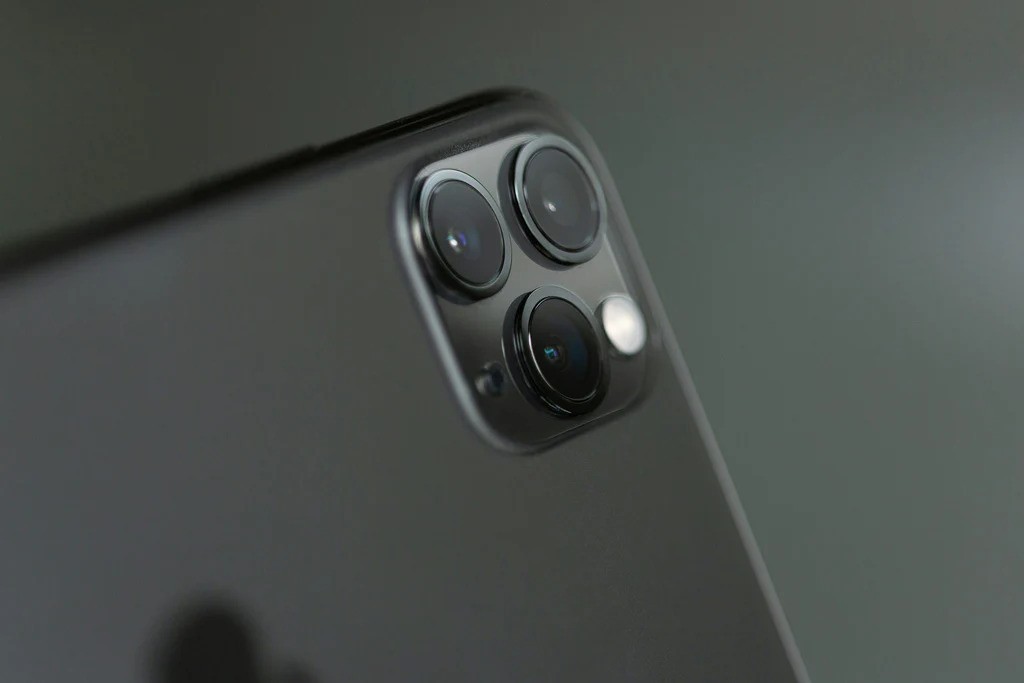
Instead of using digital zoom, which can degrade image quality, utilize your iPhone’s built-in lenses. The 1x, 0.5x, and 2x lenses provide optical zoom without losing detail.

6. Clean Your Lens Regularly

Smudges and dirt on your lens can blur your photos. Make it a habit to clean your lens before shooting to ensure sharp, clear images.

7. Use the Rear Camera for Better Quality

The rear camera typically produces higher-quality photos than the front-facing camera. For selfies, consider using a tripod and the self-timer to minimize camera shake, especially in low light.

8. Achieve Perfect Focus

Tap the screen to focus on your subject. To lock the focus, hold your finger on the screen until the yellow focus box appears. This prevents the camera from refocusing when you adjust your angle.

9. Manually Adjust Exposure

After focusing, swipe up or down on the screen to adjust the brightness of your photo. To lock the exposure, hold your finger until you see the AE/AF Lock indicator, ensuring consistent exposure across multiple shots.

10. Prevent Overexposure

To avoid washed-out photos, tap on the brightest area of your scene to adjust exposure. If necessary, swipe down to darken the image, as it’s easier to brighten a photo later than to fix overexposure.

11. Use Portrait Mode for Stunning Depth

Portrait mode creates beautifully blurred backgrounds, emphasizing your subject. This feature simulates a professional lens effect, making it perfect for portraits or still-life shots.

Whether you’re capturing everyday moments or creating content for social media, these simple tips will dramatically improve your iPhone photography. With a little practice and attention to detail, you can take stunning photos that truly stand out.


Previous Post

Lagos Studio Archives: The Project Keeping Nigeria’s Photographic History Alive

Next Post

Master Photographer and Inspirational Educator John Blakemore Dies at 88

Comments