Disney Dreamlight Valley: How To Change House Skins

A long-awaited update called "Festival of Friendship" or "Update 3.0" allows players to change their house skins in Disney Dreamlight Valley, giving them new paths to personal customization. Developer Gameloft has allowed players to change not only the simple paint colors of their homes but also the interior doors and wallpapers in addition to the house skins themselves. The given freedom that comes with this expanded depth of personalization lets players design their ideal house after some progression within the game.
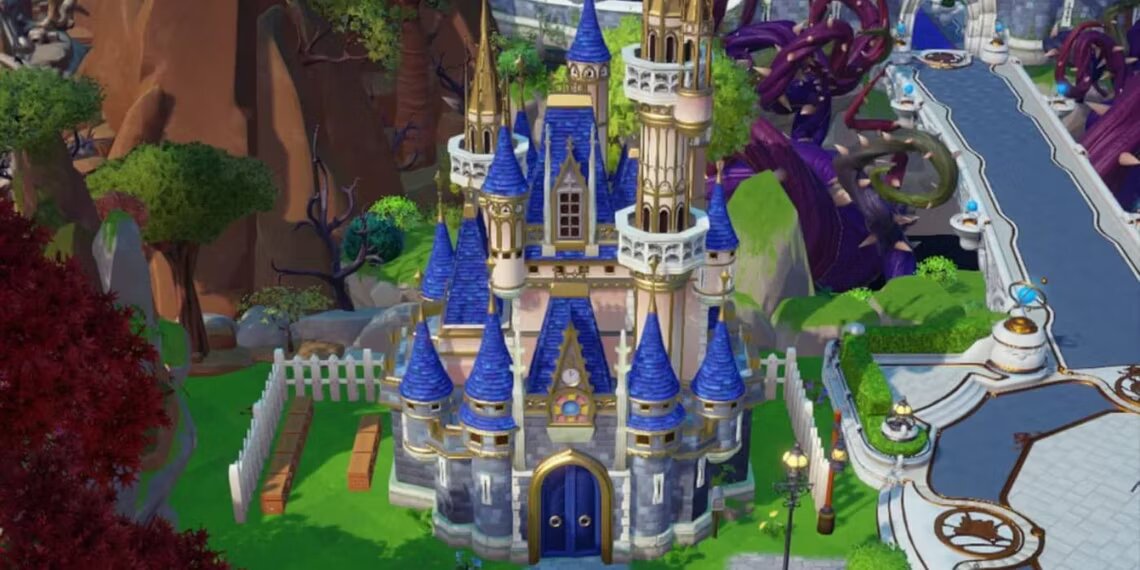
Downloading the new update gives players a select group of house skins, allowing them to change their home's appearance. This group includes mainly redesigns of the previous Gablefront House design, now in green, orange, purple, and blue colors. Unfortunately, the Premium Shop hosts the other house skin players might want for Moonstone, a resource tied to the microtransactions present in Dreamlight Valley. Called the Palace skin, this aesthetic transforms a player's house beyond color, making it much larger than the base home design typically used.
How To Change The House Color in Disney Dreamlight Valley

Players must upgrade their house to the maximum level by purchasing Scrooge McDuck's four expansions before they can change the building's skins. Entering the Furniture mode from outside the home gives players a choice to change the color of the building through the Replace prompt. Although there aren't too many options at the time of writing for house skins, Gameloft plans to add more options in the future, along with everything new in update 3 of Dreamlight Valley. Read More…