
How to disable ‘Suggested Posts' on Instagram
-
 Loading...
 - Abraham Fernandes
- 15 Jul 2022
- 134 Views
- 0 Like
- 0 Comment
hen Instagram unveiled a way to bring back the chronological feed, the announcement also seemed to hint that Meta might soon be adding a lot more suggested content to your algorithmic feed. Well, if you’ve been on Instagram in the past few weeks, you’ve probably noticed that that time has come. My regular feed has been overwhelmed with algorithmically recommended content, aka, “Suggested Posts.” If yours has too, the good news is there’s a way to stop it.
How to disable suggested posts on Instagram
Not a coffee drinker? Snooze suggested posts from this account by tapping the “X” in the upper right above the post.
A lot of the time, the same suggested accounts will keep popping up in your feed. If there are one or two accounts you just don’t want to see again, getting rid of them is easy.
Tap the little X above the next suggested post from the account you don’t like.
Then tap Don’t Suggest Posts from [Account Name].
And if it’s the kind of stuff they post that you don’t like, you can tap Don’t Suggest Posts Related to [Account Name].
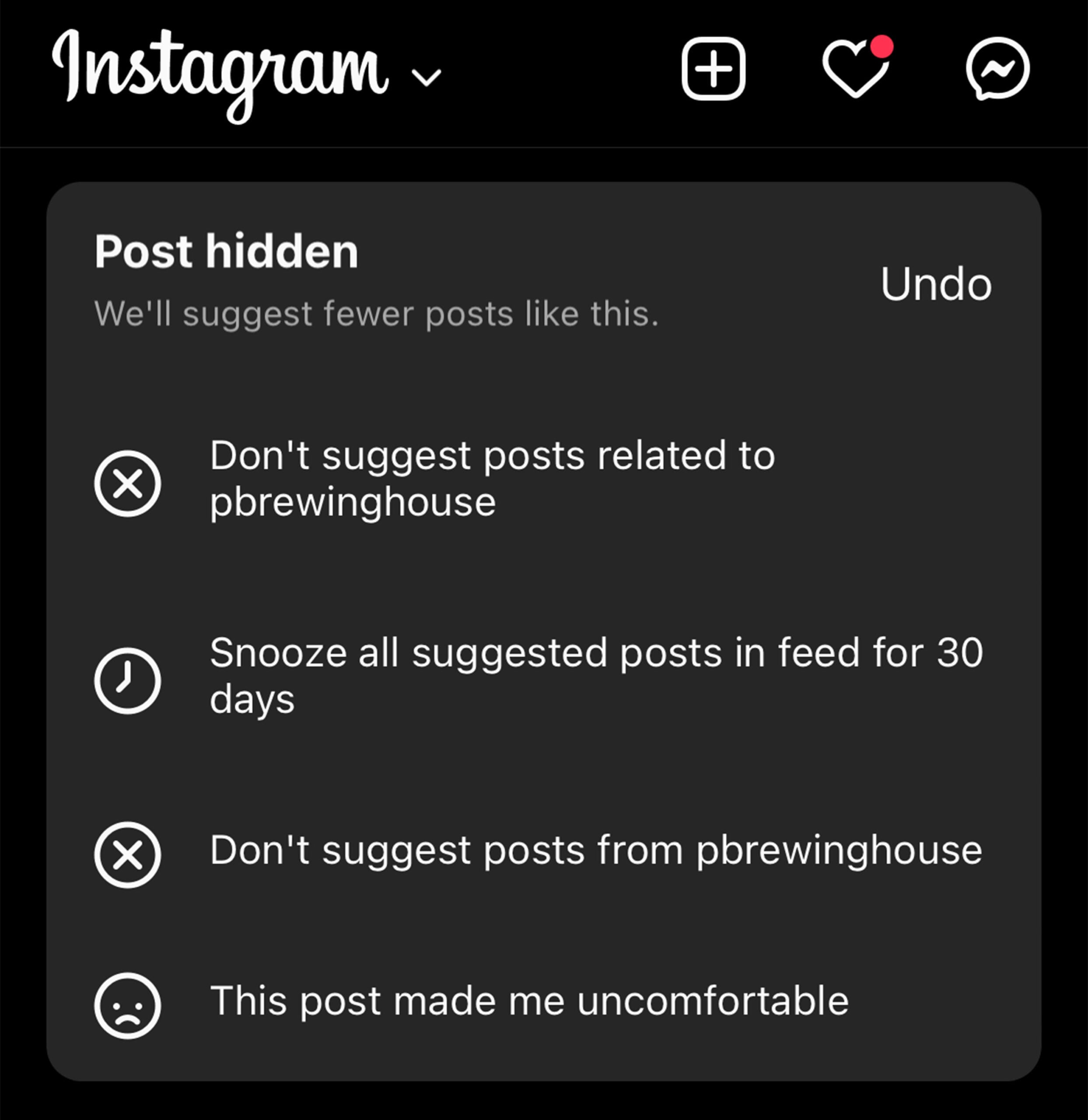
How to snooze suggested posts in Instagram
Presently, you can snooze suggested posts for up to 30 days. Instagram
If it’s suggested posts in general that are annoying you (like it is for me), you can snooze them for 30 days. After that, they come back with a vengeance but you can just snooze them again.
Then tap Snooze All Suggested Posts in Feed for 30 Days.
And just like that, you won’t see another suggested post for a month.
Other tips to improve your Instagram experience
While Instagram wants to be the most “engaging” experience possible (to keep you from spending any time on competitors’ platforms, like TikTok), you can easily improve things in a few ways. Read More...