
How to Help Your Photos Live On After You Die
-
 Loading...
 - Dana Garcia
- 22 Jul 2022
- 106 Views
- 0 Like
- 0 Comment
My wife and I recently spent some time updating our estate plans, or what will happen to our “stuff” after we die. Since we don’t have children and our other family and friends all know us in different ways and for different reasons, it seemed prudent to go ahead and get a first draft of our obituaries going.
I started by identifying myself as a photographer, musician, and writer. Since each of those things come with different sets of friends, it is unlikely that somebody else writing my obit would put those things in order with an appropriate paragraph about each.
Next, we spent some time on our wills and what we would like to see happen with our possessions. I have always considered that my legacy would be my photography. I have hundreds of thousands of photographs made over a period of over sixty years, and I am making more every day. In fact, I am picking up speed as I have more creative time. I want to give my heirs some idea of what I have and some sort of logical way to pass them on to future generations in a useful and meaningful way.
I expect that every photographer has faced this question or will eventually. I was afraid that if my heirs found themselves in possession of file cabinets filled with a jumble of slides and negatives or hard drives full of digital files, they would most likely be overwhelmed and either throw everything out or just put them somewhere in a storage unit.
The principle is that if we want something to be admired or respected, it needs to look like something to be admired and respected. In the case of photographic images, that means things like orderly files or better yet high-quality photo books or nicely framed prints.
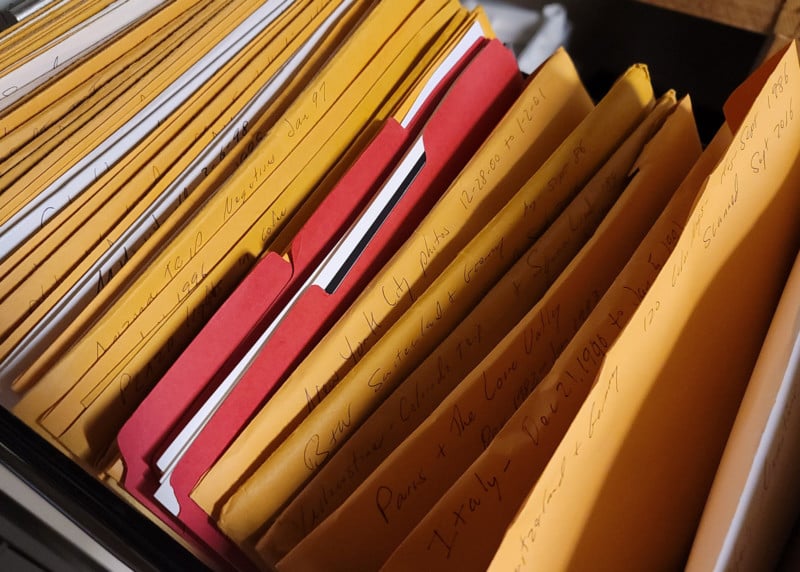
The first step is editing. My photographer friend’s advice has always been to only keep the best of the best. One hundred beautiful and powerful photographs are better than a thousand mediocre ones. If we have 10,000 images, chances are that a few hundred of them are wonderful.
The next thing is to get them in some sort of accessible form that a casual friend or relative can quickly figure out after we are gone. Adobe Lightroom and Adobe Bridge offer many possibilities for collections, sorting, renaming, and filing, but we need a plan and stick to it. Lightroom is merely an index, so if the original files are misplaced it becomes useless. Also, our great-nephew thirty years from now probably won’t have Lightroom or access to the original files. Using Bridge to sort and make copies of files in various places, including cloud storage, increases the chances of future generations being able to access the images.
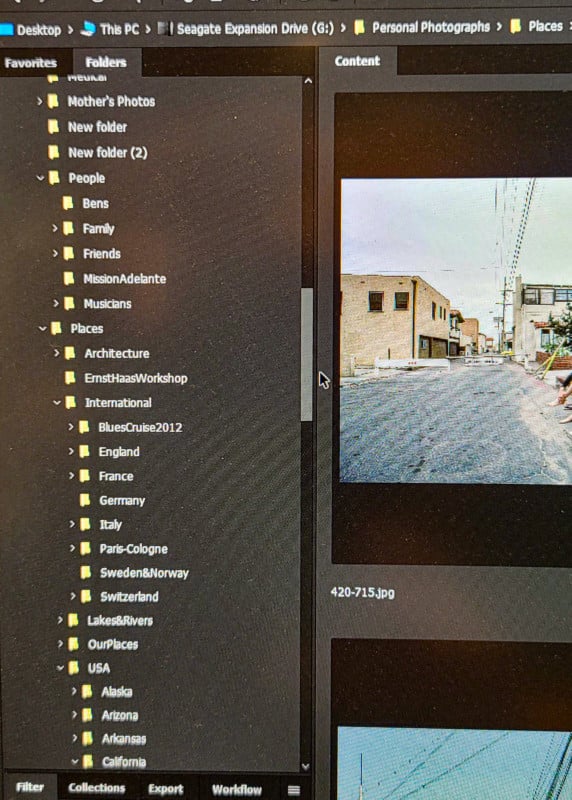
Renaming the files in a logical manner is also a great idea. A file name like “DSCN0218” has less meaning than a file name like “Louvre-07-18-1.” (Place-date-image number.) Batch renaming such as is possible with Adobe Bridge is wonderful for such things.
I have been a serious photographer for fifty-five years and only the last twenty years have been exclusively digital. That means that I have thirty-five years of photographs in a wide variety of formats from Kodachrome slides to 4×5 black and white negatives. I also have older family photos, mostly negatives, that I have inherited from my parents and grandparents. Editing and digitizing these old slides and negatives can be both fun and challenging. Getting them into digital form increases the chances that they will be saved, enjoyed, and passed on to future generations. Read More...