iOS 16 cheat sheet: Complete guide for 2022
-
 Loading...
 - Sabrina Jabal
- 13 Jul 2022
- 122 Views
- 0 Like
- 0 Comment
During Apple’s WWDC keynote on June 6, 2022, the company unveiled its latest iteration of iOS. Apple’s primary focus areas for this release of iOS are new intelligence features, communication features and sharing features that also incorporate privacy. Many of these features can be used in business environments and non-business environments. Let’s take a look at the iOS 16 features and how they can benefit you, your devices and your workflows.
What is iOS 16?
iOS 16 is Apple’s newest version of the iOS mobile operating system that powers iPhone devices. It was announced at Apple’s WWDC ‘22 conference and includes features and performance improvements that will be available on a wide range of iOS devices; see the list below to find out if iOS 16 will work on your device.
This new version of iOS includes many new features that are relevant to developers, enterprise customers and consumers, including an all-new Lock Screen design, widgets, new developer APIs and much more.
What devices are compatible with iOS 16?
Most hardware that supported iOS 15 will also support iOS 16. Here is the full list of iOS 16 supported devices.
- iPhone 13
- iPhone 13 mini
- iPhone 13 Pro
- iPhone 13 Pro Max
- iPhone 12
- iPhone 12 mini
- iPhone 12 Pro
- iPhone 12 Pro Max
- iPhone 11
- iPhone 11 Pro
- iPhone 11 Pro Max
- iPhone XS
- iPhone XS Max
- iPhone XR
- iPhone X
- iPhone 8
- iPhone 8 Plus
- iPhone SE (2nd generation or later)
What new features are available in iOS 16?
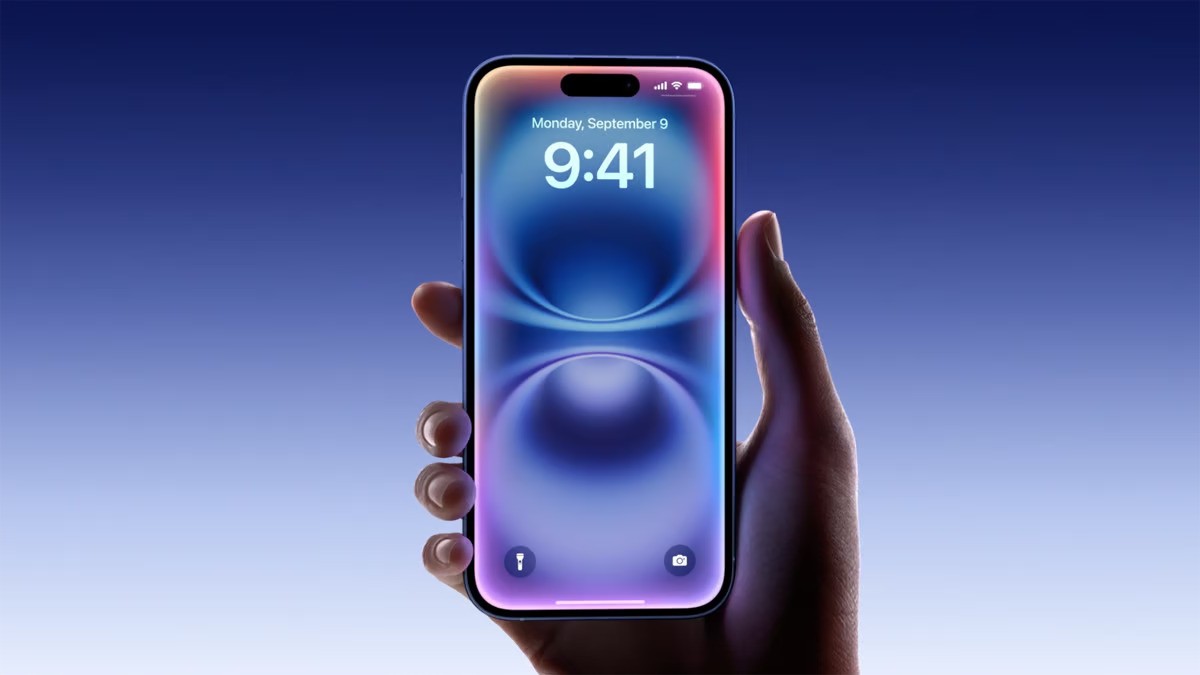
New Lock Screen

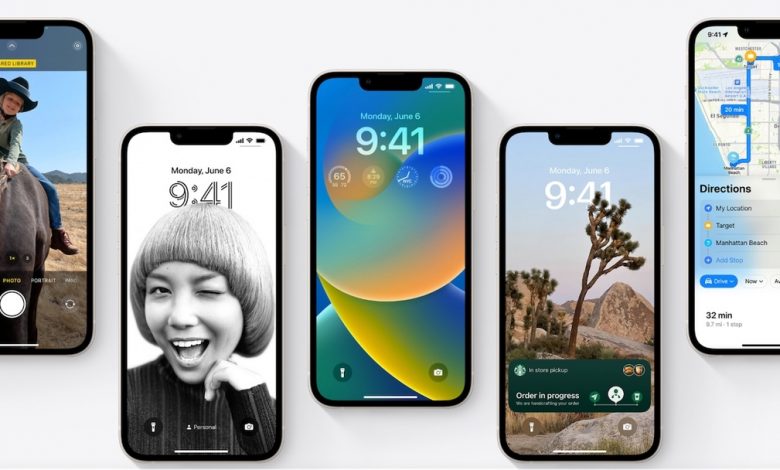
Apple has redesigned the entire Lock Screen in iOS 16, adding a new widget system that is reminiscent of the Apple Watch’s screen customization options and ensuring that notifications are less intrusive to your daily workflow. Multiple Lock Screens can be created and swapped between easily.
Apple has pre-made several lock screens that feature animations and fluid transitions from the Lock Screen to the Home Screen. Photos and widgets are a huge design feature on the new Lock Screen, and let you customize the look and feel for your devices in a way never before possible. You can choose the font, color and size, and include a widget area under the time so you’re always seeing up to date information from your favorite apps right on the Lock Screen.
Notifications also get an update in iOS 16. In this new version of iOS, new notifications appear from the bottom of the screen. Live Activities will allow applications to update your Lock Screen with live event data rather than spamming notifications.
Focus Mode changes and Focus Filters

Focus Mode allows users to ensure they are not interrupted during work by personal contacts, or interrupted at home by work contacts, allowing for better work-life separation. In iOS 16, Focus Modes can automatically set a particular Lock Screen configuration so you could have a dedicated Lock Screen for work, home or other activity.
The Focus Filters ifeature will be available to third-party developers; it lets your apps filter out distracting content when a particular Focus Mode is enabled. Safari was demoed for this feature and showed triggering specific tab groups when a Focus Mode is enabled so you’re not tempted to browse social media while at work, for example.
The unsend feature in iOS 16 and other communication changes
iOS 16 features a wide variety of changes that will allow for better communication and more ways to handle that communication.
Starting with Messages, the app will now have the ability to edit sent messages, undo a sent message, or mark message threads as unread so you can easily circle back to it later. When sending an iMessage, you will now have the option to tap Undo Send when long pressing on a sent message. In iOS 16, tapping Undo Send will allow users to unsend a message for up to 15 minutes after sending it. Editing works in the same way: Tap and hold on a recently sent message and select Edit Message to begin editing it up to 15 minutes after initially sending it. After the 15 minutes have elapsed, the Edit and Unsend options will be unavailable. When a message is edited, the recipient will get the newly revised message along with the word Edited under the message.
Shared with You, a feature introduced in iOS 15, now gets third-party integration through an API available to developers, allowing content shared between messages and third-party apps to be surfaced in those third-party apps as well.
SharePlay, introduced late last year in iOS 15, will get the ability to kick off a session within Messages and without audio or video. You can now perform a SharePlay session through Messages and have the ability to chat in real time through Messages.
Quick Note
Quick Note is a feature that first appeared on iPad in iPadOS 15 last year and allows users to quickly create a new note from anywhere in the operating system with the Apple Pencil. Users have clamored to have this feature added to iOS for nearly a year, and Apple has revamped it to work on iPhone and obliged the request.
Quick Note is available in the Share Sheet for many built-in applications to quickly and easily create a new note using an attachment, but Apple also added a new Control Center option as well for quickly creating a note from anywhere in iOS 16. Enable the option by going to Settings | Control Center, then tapping the plus (+) button on Quick Note. When you do this, swiping down for Control Center will have a new Quick Note button, which upon tapping will open the Quick Note window. Read More...