The Ultimate Guide to Routers: What They Are and How They Work
-
 Loading...
 - elliot aria
- 09 May 2023
- 100 Views
- 0 Like
- 0 Comment
Routers are an essential component of any home network, providing the gateway to the internet and allowing devices to communicate with each other. However, many people are still unsure about what routers are and how they work. In this Ultimate Guide to Routers, we will explore the different types of routers, how they work, and answer some common questions about routers.
What is a Router?
A router is a device that connects multiple networks and forwards data packets between them. It acts as a traffic cop, directing data to its intended destination. Routers can connect to different types of networks, including LANs, WANs, and the Internet.
The Role of a Router in a Network
A router plays a critical role in any network, as it enables communication between devices in different networks. When a device sends data packets to another device, the router receives the packets and examines the destination address. The router then forwards the packets to the next hop in the network, using the most efficient path to reach the destination.
Types of Routers
There are several types of routers, each with its unique features and uses. Understanding the different types of routers can help you choose the right router for your needs.
Wireless Routers
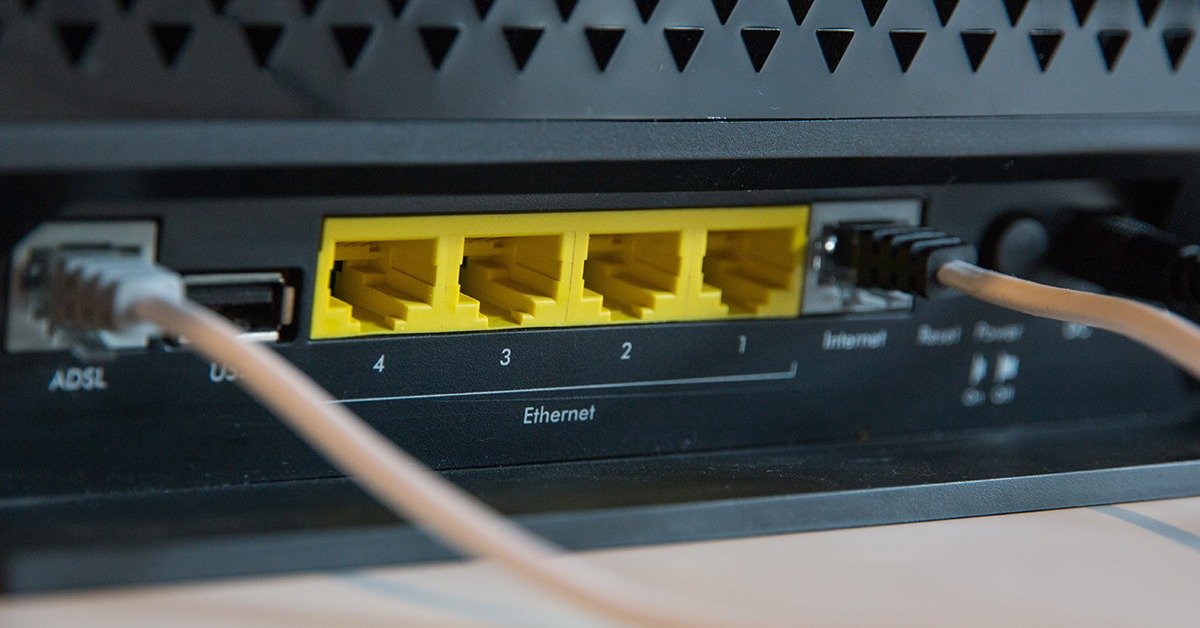
Wireless routers are the most common type of router in homes and small businesses. These routers use Wi-Fi technology to connect devices to a network without the need for cables. They work by broadcasting wireless signals that devices can connect to, providing internet access and allowing devices to communicate with each other. Most wireless routers also have Ethernet ports for connecting devices that do not have wireless capabilities.
Wired Routers
Wired routers are commonly used in larger businesses and data centers, where high-speed connectivity is essential. These routers use Ethernet cables to connect devices to a network. They provide faster and more reliable internet access than wireless routers and can handle large amounts of traffic.
Core Routers
Core routers are used in large networks to provide high-speed connectivity and handle large amounts of traffic. They are designed to handle data packets quickly and efficiently and are often used by internet service providers to manage network traffic.
Edge Routers
Edge routers are used at the edge of a network to connect to the internet or other external networks. They are responsible for directing traffic to the correct destination and ensuring that data packets are delivered correctly. Edge routers are also used in virtual private networks (VPNs) to provide secure connections between networks.
Virtual Routers
Virtual routers are software-based and run on a virtual machine. They are commonly used in cloud computing environments, where virtual machines need to communicate with each other. Virtual routers can be easily scaled up or down, making them an ideal solution for cloud-based applications.
How Routers Work
Routers work by forwarding data packets between different computer networks. When a device sends a data packet, the router examines the destination address and determines the best path for the data to take. The router then forwards the data packet to the next router in the path, eventually reaching its final destination.
Routers use several protocols to manage network traffic and ensure that data is delivered correctly. The most common protocols used by routers are the Internet Protocol (IP) and the Transmission Control Protocol (TCP).
When a device sends data to another device on the same network, the router uses the Media Access Control (MAC) address to forward the data packet. If the data packet is destined for a device on a different network, the router uses the IP address to forward the packet.
Routers are an essential component of any network, enabling devices to communicate with each other and the Internet. Understanding the different types of routers available and how they work can help you choose the right one for your network needs.
FAQs
Here are some frequently asked questions about routers:
1. Do I need a router for Wi-Fi?
Yes, you need a wireless router to use Wi-Fi. The wireless router acts as a hub for your network and provides wireless access to devices.
2. Can I connect my computer directly to the modem?
Yes, you can connect your computer directly to the modem using an Ethernet cable. However, this will only provide internet access to one device, and you will need a router if you want to connect multiple devices to the internet.
3. Can a router increase internet speed?
A router cannot increase your internet speed beyond what your internet service provider provides. However, a router can help to distribute your internet connection more efficiently, leading to a better overall performance.



