Valve's new beta lets you use the Steam Deck UI on your desktop
-
 Loading...
 - Leonardo Rossi
- 31 Oct 2022
- 70 Views
- 0 Like
- 0 Comment
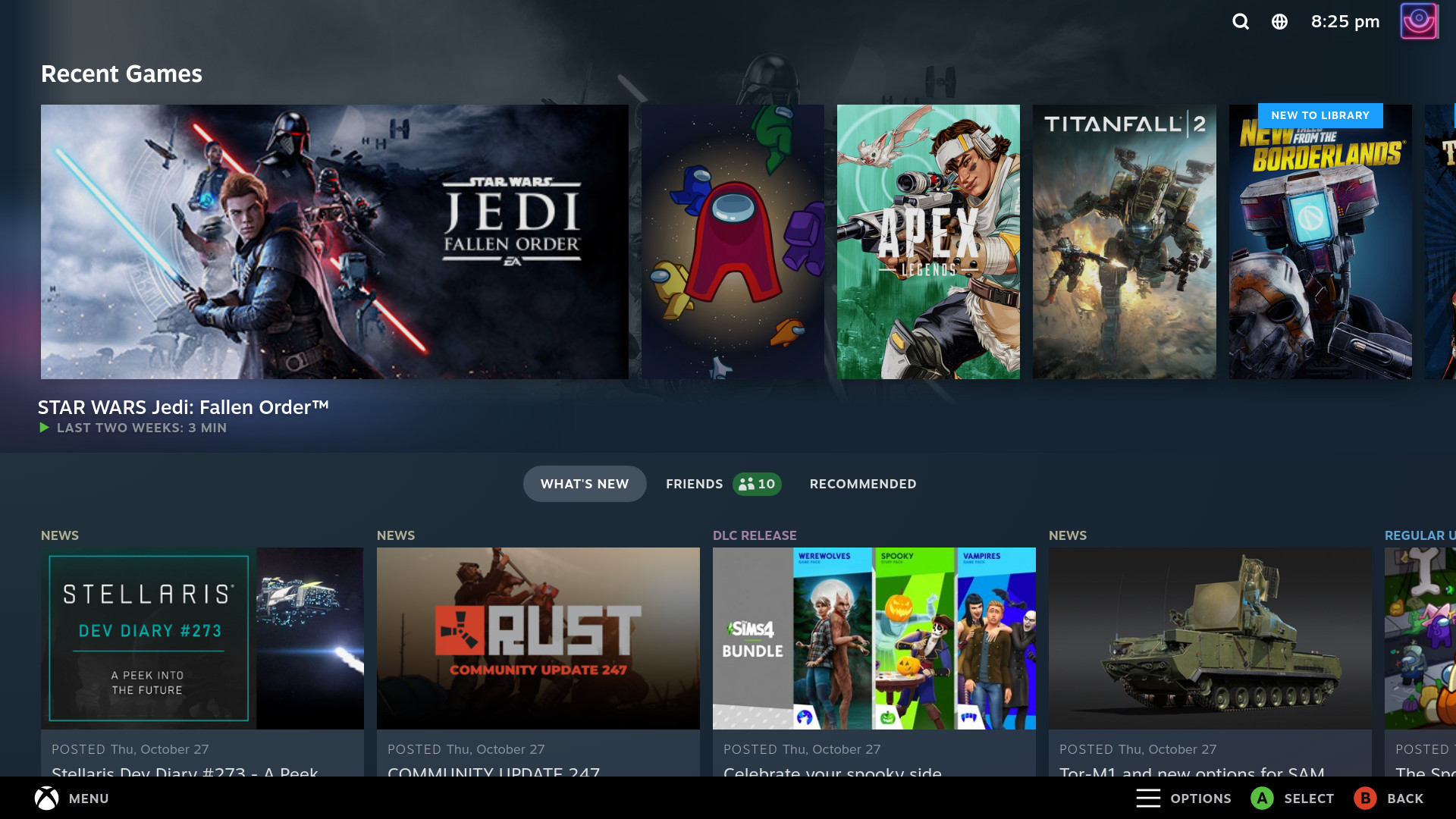
Valve is officially letting users try out a new version of Steam’s Big Picture mode, which makes the game client look like its popular Steam Deck handheld. The long-awaited change (we were hearing rumblings about it in July 2021) is a big upgrade for the gamepad-friendly version of the Steam user interface.
In a news post, the company warns that the new UI has “rough edges” but says it’s looking to gather feedback from the community on it. In addition to the updated look, the test also includes new features, including a universal search that’ll surface results from your library, friends list, and the store as well as updates to the quick access and system menus and controller configurator.
It’s likely to be a welcome change for people who frequently use Steam with a controller — the current version of Big Picture mode is reasonably functional, but the aesthetic hasn’t changed a ton since the feature launched in 2012. Even though the Steam client itself doesn’t feel particularly modern, it’s still a bit jarring whenever you switch over to the (very blue) Big Picture mode.
To test out the new Big Picture mode for yourself, enable the beta version of the client by clicking the “Steam” button in the top-left corner and going to Settings > Account and clicking the “Change” button in the “Beta participation” section. Select “Steam Beta Update” from the drop-down menu, hit OK, and restart Steam to download the update. Read More...