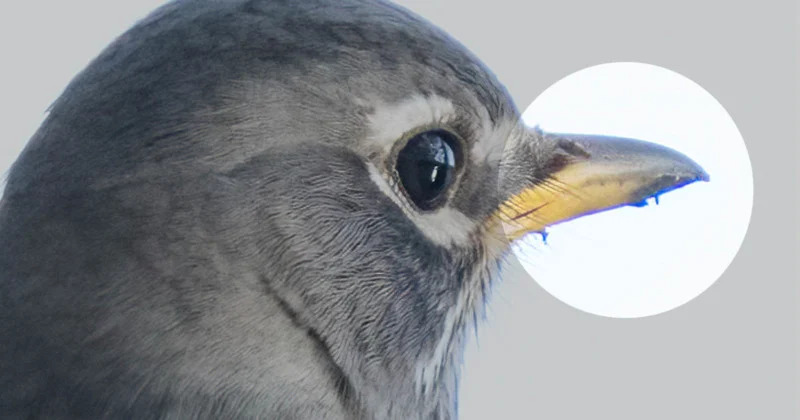
What is Chromatic Aberration? How to Deal with Color Fringing
-
 Loading...
 - Lucas Wilson
- 26 Jan 2023
- 62 Views
- 0 Like
- 0 Comment
If you’ve ever noticed an unsightly colored fringe or halo on objects in your photographs, you’ve seen chromatic aberration. It’s a common problem in photography and can detract from an otherwise good image. Fortunately, there are ways to minimize or even eliminate it, both before you hit the shutter button and after when editing your picture.
Table of Contents
- 1. What is Chromatic Aberration?
- 2. What Causes Chromatic Aberration?
- 3. Dealing with Chromatic Aberration
- 4. How to Remove Chromatic Aberration in Lightroom
- 5. How to Remove Chromatic Aberration in Photoshop
What is Chromatic Aberration?
Chromatic aberration is a color distortion that occurs when a lens fails to focus all colors of light onto the same point, creating an undesirable outline of color at the edges of subjects.
The word “chroma” means color and an “aberration” is something that deviates from the normal way, so “chromatic aberration” means there’s something wrong with the color. Specifically, you will notice it as areas of fuzzy fringes of blue-yellow, red-green, or magenta-purple on objects in your picture.
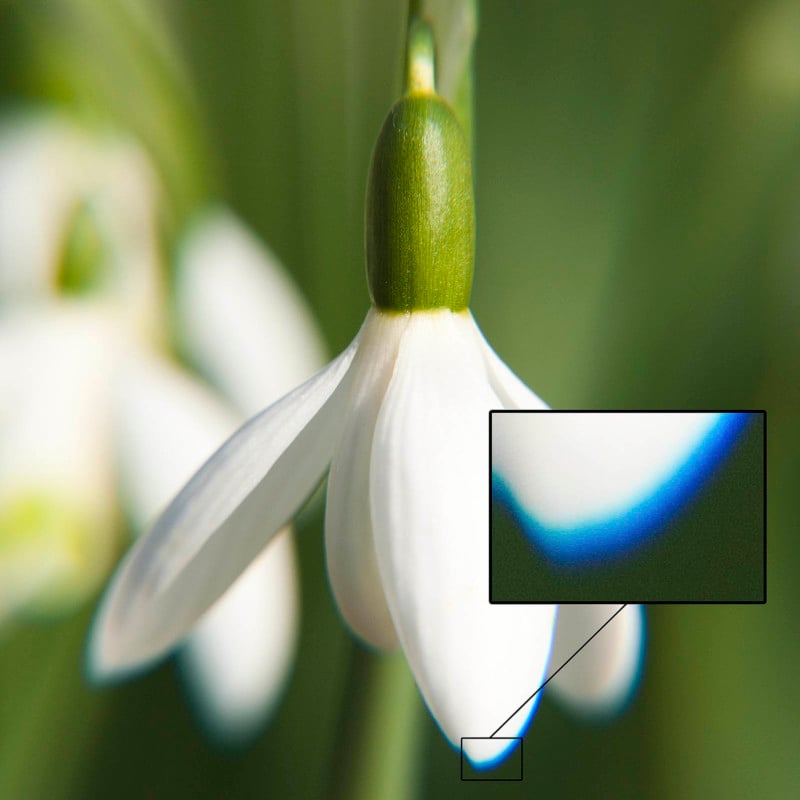
It’s visible in high-contrast areas where the dark and bright parts meet, such as along the edge of a building against the sky. You’ll see it mostly toward the periphery of a photo, but it can also show up in the center. Read More…



