Home Upload Photo Upload Videos Write a Blog Analytics Messaging Streaming Create Adverts Creators Program
Bebuzee Afghanistan Bebuzee Albania Bebuzee Algeria Bebuzee Andorra Bebuzee Angola Bebuzee Antigua and Barbuda Bebuzee Argentina Bebuzee Armenia Bebuzee Australia Bebuzee Austria Bebuzee Azerbaijan Bebuzee Bahamas Bebuzee Bahrain Bebuzee Bangladesh Bebuzee Barbados Bebuzee Belarus Bebuzee Belgium Bebuzee Belize Bebuzee Benin Bebuzee Bhutan Bebuzee Bolivia Bebuzee Bosnia and Herzegovina Bebuzee Botswana Bebuzee Brazil Bebuzee Brunei Bebuzee Bulgaria Bebuzee Burkina Faso Bebuzee Burundi Bebuzee Cabo Verde Bebuzee Cambodia Bebuzee Cameroon Bebuzee Canada Bebuzee Central African Republic Bebuzee Chad Bebuzee Chile Bebuzee China Bebuzee Colombia Bebuzee Comoros Bebuzee Costa Rica Bebuzee Côte d'Ivoire Bebuzee Croatia Bebuzee Cuba Bebuzee Cyprus Bebuzee Czech Republic Bebuzee Democratic Republic of the Congo Bebuzee Denmark Bebuzee Djibouti Bebuzee Dominica Bebuzee Dominican Republic Bebuzee Ecuador Bebuzee Egypt Bebuzee El Salvador Bebuzee Equatorial Guinea Bebuzee Eritrea Bebuzee Estonia Bebuzee Eswatini Bebuzee Ethiopia Bebuzee Fiji Bebuzee Finland Bebuzee France Bebuzee Gabon Bebuzee Gambia Bebuzee Georgia Bebuzee Germany Bebuzee Ghana Bebuzee Greece Bebuzee Grenada Bebuzee Guatemala Bebuzee Guinea Bebuzee Guinea-Bissau Bebuzee Guyana Bebuzee Haiti Bebuzee Honduras Bebuzee Hong Kong Bebuzee Hungary Bebuzee Iceland Bebuzee India Bebuzee Indonesia Bebuzee Iran Bebuzee Iraq Bebuzee Ireland Bebuzee Israel Bebuzee Italy Bebuzee Jamaica Bebuzee Japan Bebuzee Jordan Bebuzee Kazakhstan Bebuzee Kenya Bebuzee Kiribati Bebuzee Kuwait Bebuzee Kyrgyzstan Bebuzee Laos Bebuzee Latvia Bebuzee Lebanon Bebuzee Lesotho Bebuzee Liberia Bebuzee Libya Bebuzee Liechtenstein Bebuzee Lithuania Bebuzee Luxembourg Bebuzee Madagascar Bebuzee Malawi Bebuzee Malaysia Bebuzee Maldives Bebuzee Mali Bebuzee Malta Bebuzee Marshall Islands Bebuzee Mauritania Bebuzee Mauritius Bebuzee Mexico Bebuzee Micronesia Bebuzee Moldova Bebuzee Monaco Bebuzee Mongolia Bebuzee Montenegro Bebuzee Morocco Bebuzee Mozambique Bebuzee Myanmar Bebuzee Namibia Bebuzee Nauru Bebuzee Nepal Bebuzee Netherlands Bebuzee New Zealand Bebuzee Nicaragua Bebuzee Niger Bebuzee Nigeria Bebuzee North Korea Bebuzee North Macedonia Bebuzee Norway Bebuzee Oman Bebuzee Pakistan Bebuzee Palau Bebuzee Panama Bebuzee Papua New Guinea Bebuzee Paraguay Bebuzee Peru Bebuzee Philippines Bebuzee Poland Bebuzee Portugal Bebuzee Qatar Bebuzee Republic of the Congo Bebuzee Romania Bebuzee Russia Bebuzee Rwanda Bebuzee Saint Kitts and Nevis Bebuzee Saint Lucia Bebuzee Saint Vincent and the Grenadines Bebuzee Samoa Bebuzee San Marino Bebuzee São Tomé and Príncipe Bebuzee Saudi Arabia Bebuzee Senegal Bebuzee Serbia Bebuzee Seychelles Bebuzee Sierra Leone Bebuzee Singapore Bebuzee Slovakia Bebuzee Slovenia Bebuzee Solomon Islands Bebuzee Somalia Bebuzee South Africa Bebuzee South Korea Bebuzee South Sudan Bebuzee Spain Bebuzee Sri Lanka Bebuzee Sudan Bebuzee Suriname Bebuzee Sweden Bebuzee Switzerland Bebuzee Syria Bebuzee Taiwan Bebuzee Tajikistan Bebuzee Tanzania Bebuzee Thailand Bebuzee Timor-Leste Bebuzee Togo Bebuzee Tonga Bebuzee Trinidad and Tobago Bebuzee Tunisia Bebuzee Turkey Bebuzee Turkmenistan Bebuzee Tuvalu Bebuzee Uganda Bebuzee Ukraine Bebuzee United Arab Emirates Bebuzee United Kingdom Bebuzee Uruguay Bebuzee Uzbekistan Bebuzee Vanuatu Bebuzee Venezuela Bebuzee Vietnam Bebuzee World Wide Bebuzee Yemen Bebuzee Zambia Bebuzee Zimbabwe
Blog Image

7 Tips to Get the Most Out of Windows 11

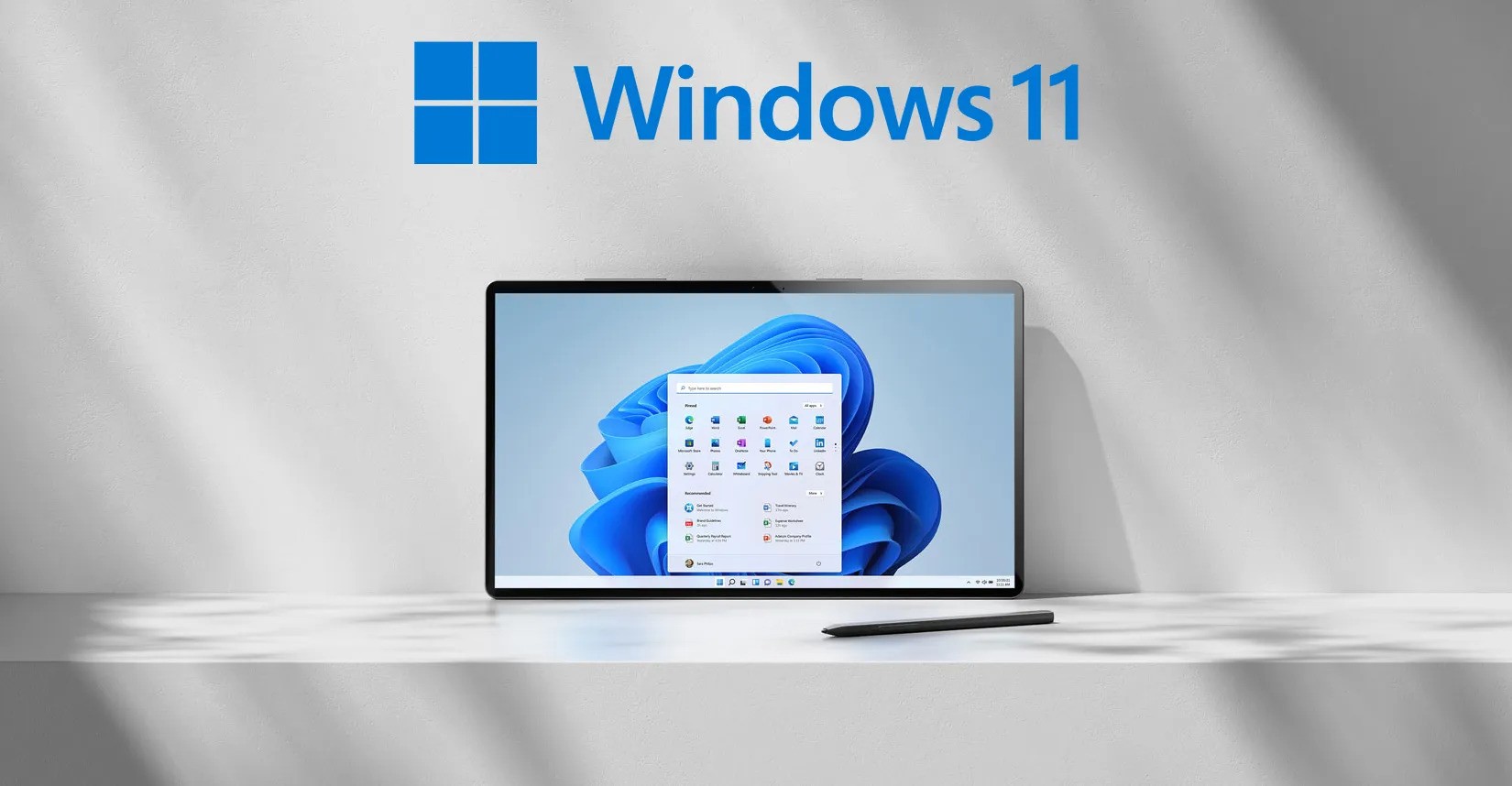
Windows 11 is packed with features designed to enhance productivity and streamline your computing experience. Whether you’re considering the upgrade from Windows 10 or you’re already using Windows 11, these tips will help you maximize its potential. Let’s dive in!

Tip 1: Make the Start Menu Your Own

The Start Menu in Windows 11 is clean and centered, making it easy to personalize. Pin your favorite apps, rearrange tiles, or resize the menu to fit your style. To customize, simply right-click on any app or tile and select your preferred option. Make the Start Menu a reflection of your needs!

Tip 2: Master Snap Layouts for Multitasking

Enhance your multitasking capabilities with Snap layouts. If you’re working on a report while researching online, drag one window to the left side of your screen and another to the right. This allows both windows to fit perfectly without overlapping. To see available layouts, hover over the maximize button on any window and choose the layout that suits your workflow.

Tip 3: Create a Desktop for Every Project

Managing multiple projects? Create separate desktops for work, personal tasks, and entertainment. Switching between them is easy—just press the Windows logo key + Tab and select the desktop you want. This feature helps keep your workspace organized and enhances productivity.

Tip 4: Stay Up to Date with Widgets

Widgets in Windows 11 provide personalized news, weather updates, calendar reminders, and more—all in one place. Quickly check headlines, get your daily weather forecast, or see upcoming calendar events without opening any apps. Access widgets by pressing the Windows logo key + W.

Tip 5: Stay on Track with Focus Sessions

Minimize distractions with Focus sessions. Break your work into manageable chunks by setting a timer for focused work periods followed by breaks. You can sync Focus sessions with your Microsoft To-Do list to keep tasks organized. To start, open the Clock app, select Focus sessions, and you’re ready to go!

Tip 6: Log In with Windows Hello

Enhance your security and convenience with Windows Hello, which allows you to sign in using facial recognition or a fingerprint scanner. This eliminates the need for traditional passwords, making your login process faster and more secure.

Tip 7: Enable Dark Mode for Comfort

If you spend long hours in front of your screen, consider switching to Dark mode. It’s easier on the eyes, especially in low-light environments. To enable Dark mode, go to Settings > Personalization > Colors and select Dark under the Choose your color section.

By implementing these tips, you can enhance your experience with Windows 11, making it more personalized, efficient, and enjoyable.

Previous Post

Have You Seriously Considered The Option Of AI Tools For Creators?

Next Post

Azerbaijan Approves Artificial Intelligence Strategy for 2025–2028

Comments