
Effortlessly Manage Your Social Media Calendar with Publish

Scheduling content in advance is a great way to stay organized with your brand’s social media presence and online strategy. Through the use of a content calendar tool, the ability to schedule content can now be quick and centralized providing you with a macro view of your online communications.
The Calendar View can be found in the Publish tool within the Mention platform. It allows you to view, draft, schedule, and even post content immediately across your social channels. Once you or a colleague has scheduled content, your weekly content calendar will begin to fill up with calendar blocks:
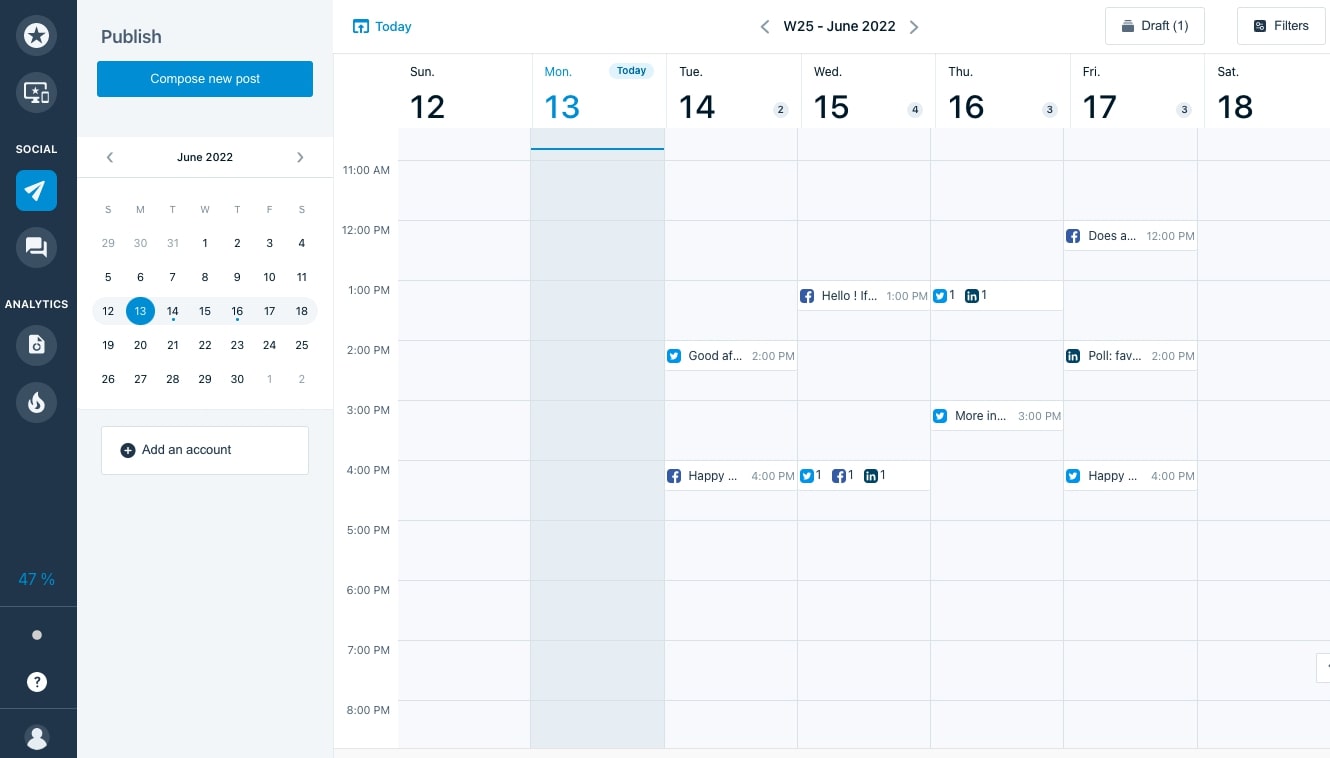
Understand the Calendar View
To ensure that you are fully informed about your scheduled content, Mention has enhanced its Calendar View with new indicators such as the daily posts counter and social accounts filter.
At the top of the weekly calendar, the daily posts counter will appear and increase based on the number of scheduled posts on that date:

If you click on this number, a sidebar will appear with the ability to review the scheduled posts for that day! Alongside this content overview, you will also be shown some information about the post including:
· The account name and handle
· The scheduled date and scheduled time of posting
· The social media platform that the post is scheduled for
· An indicator if the post is scheduled, published, drafted, or failed
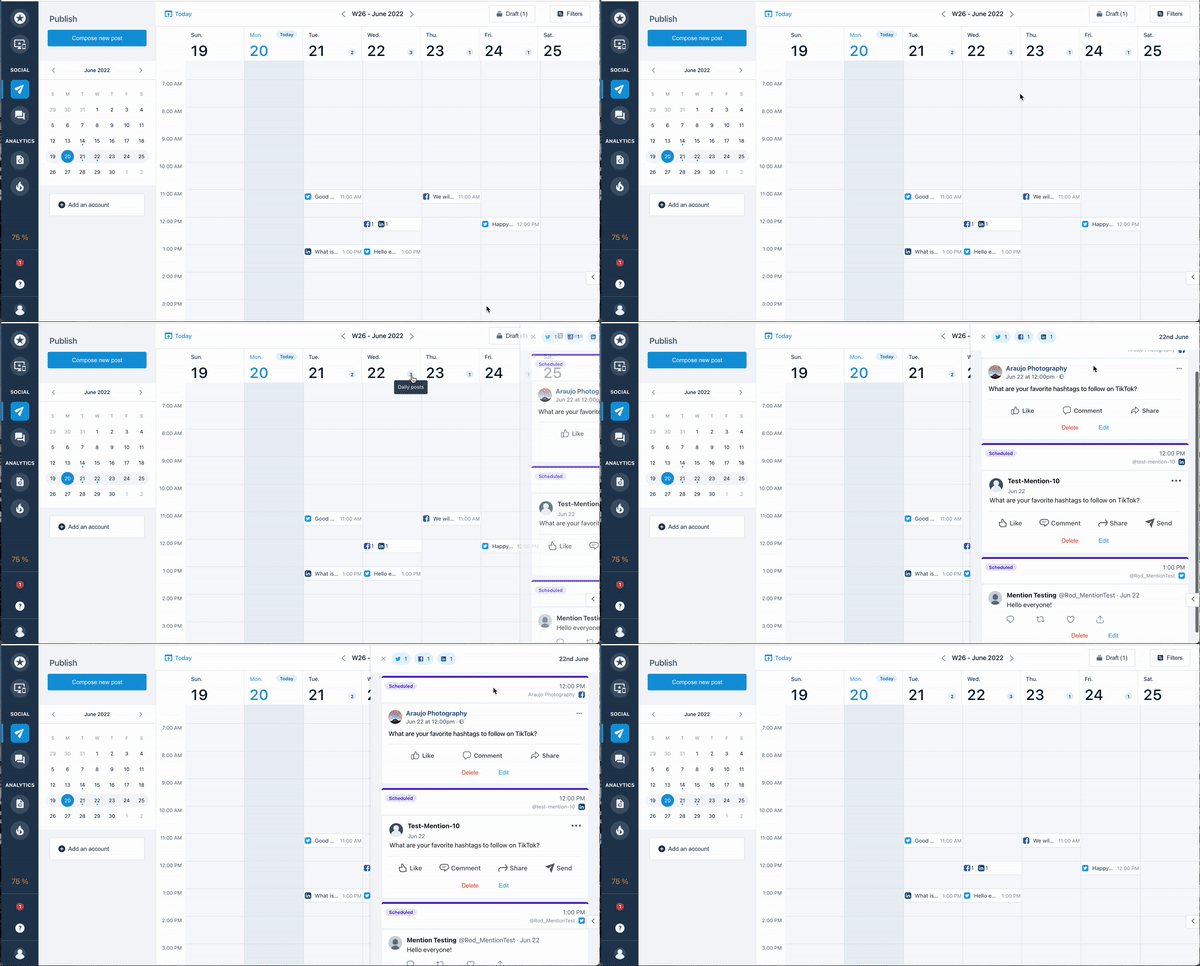
This daily overview is a great way to start off your day if you would like a quick review of the content that is scheduled before it goes live. You have the option of reviewing the daily overview for any upcoming dates to ensure that every post is coordinated accordingly.
Mention Tip: If you would like to review an individual post, you can also click on the calendar block and the preview will be displayed here too! Read More…