How to Turbocharge Your Photography Workflow
-
 Loading...
 - Vittoria Riva
- 27 Jun 2022
- 172 Views
- 0 Like
- 0 Comment
I recently heard a photographer say he’d spent 17 hours going through 10,000 images, deciding which ones were worth saving. My first thought was, “I hope he’s retired.” My second thought, though, was that he badly needed a lesson on speeding up his workflow. Which led me to write this guide on how to turbocharge your photography workflow.
Over the next half-dozen years, as I left my paper and began a freelance career, I carved out a niche in helping other newspapers make the transition to digital. And again, gear was the easy part, workflow the challenge. My attitude was that with computers and the right software, photographers should be able to handle more photos more quickly than ever before. But that wasn’t as easy as it sounds.

The two keys to any good workflow are that it’s easy to repeat and accomplish whatever goals you have. In a company, that means it has to be designed to fit the company’s needs, and then everyone has to follow it. Both of those can be challenging to accomplish when a large number of people are involved.
For an individual, though, it’s much simpler. I’m often asked what my workflow is, and I am happy to share it. But what really matters is that it makes sense to you and is easy to do. Here are the five basic steps that any photographer can (and should) take to make the process as painless and efficient as possible.
1. Automate the Download
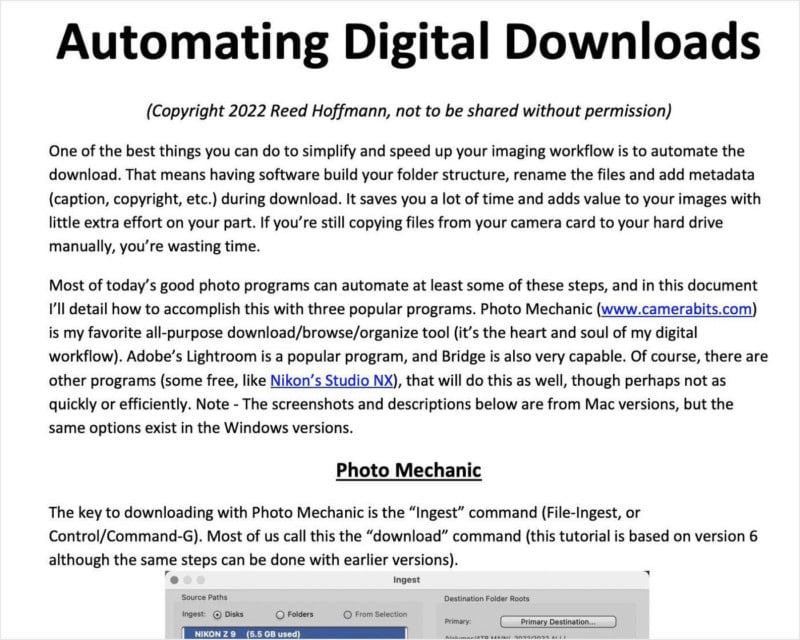
Computers are great at automating things, so why not have them do that? The best photography applications out there can automate the download process. They can create a folder structure, name the folder(s), rename the images, and add important metadata (like copyright, location, and caption information).
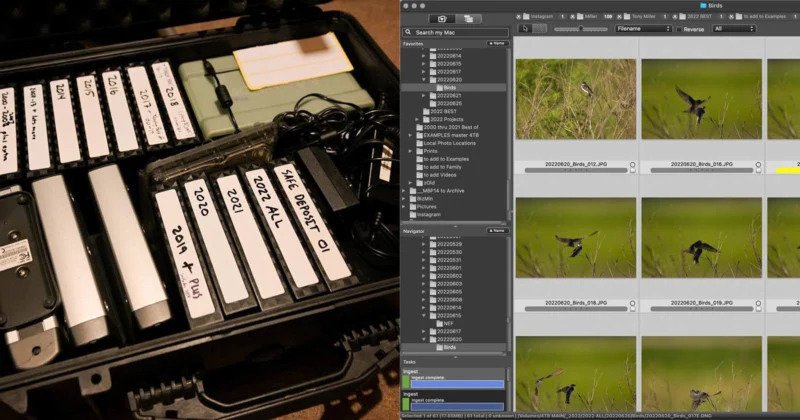
If your workflow has you plugging the card in, creating a folder on the computer, and dragging the images to it, you’re not just wasting time, you’re making every step after that more difficult. For years now I’ve posted a PDF on my website titled “Automating Digital Downloads” that explains, step-by-step, how to accomplish this with Photo Mechanic (my favorite), Lightroom and Adobe Bridge. It covers everything from folder structure to captions and renaming (which is critical).
2. Keep or Delete?
In the early days of teaching workflow, one of the things I always preached was, “Why waste time looking for bad photos?” That meant storage was cheap, so don’t spend time looking for photos to delete. Download, find your best photos, work them up and move on.
Then I got my first truly high-resolution camera, a Nikon D800 (36 megapixels). Shooting RAW, each time I pressed the shutter button I was creating a file around 50MB in size… which made me change my tune and flipped that part of my workflow upside down. Now, after downloading, I still go through and look for my best photos. But as I do that, I mark them (“tag,” “flag,” whatever your software calls it). I’m overly generous doing that, not looking at images critically and marking any image I may have a possible use for (I shoot a lot of “before” and “after” photos for teaching).
Once I’ve marked them, I tell the software to select the photos I didn’t mark (“Untagged,” in Photo Mechanic terms) and delete them. That means that on most shoots, I end up keeping about 25% of what I shot. Going through 1000 images takes me less than an hour.
3. Master Files
The goal here is to always work on your images non-destructively, meaning the original pixels remain untouched. That could be through a catalog program (like Lightroom or Mylio), where the edits are virtual, or saved with Layers or as a DNG file (with more traditional editing programs, like Photoshop or Adobe Camera Raw). All of those mean that whatever you’ve done can be undone easily, allowing you to go backwards or forwards without starting all over again, from that “Master” file.
If using a catalog program, then you should have a way of marking your very best images (color or number rating) so they can be easily searched for and found. If you use a folder-based workflow (like I do), then those best images should be saved as PSD or DNG files. In that case, for me, it makes sense to save those “Master” files back into the folder with the RAW or JPEG originals. Read More...