
How to Turn Closed Captions on Netflix On or Off

Subtitles are useful for many, like those with hearing impairments. However, they can also be distracting, and occasionally Netflix will start displaying them without your say so.
Subtitles are useful for many, like those with hearing impairments. However, they can also be distracting, and occasionally Netflix will start displaying them without your say so.
If you want to turn closed captions on or off on Netflix, here’s how.
How to Turn Closed Captions On or Off on Any Streaming App
Netflix has made it relatively easy for users to change closed caption settings or turn off subtitles. The process is very similar on most devices:
- Open Netflix.
- Select a TV show or movie.
Then, to access the subtitle settings menu:
1. On an Android or iOS mobile phone, iPad, tablet, or computer, tap on the screen.
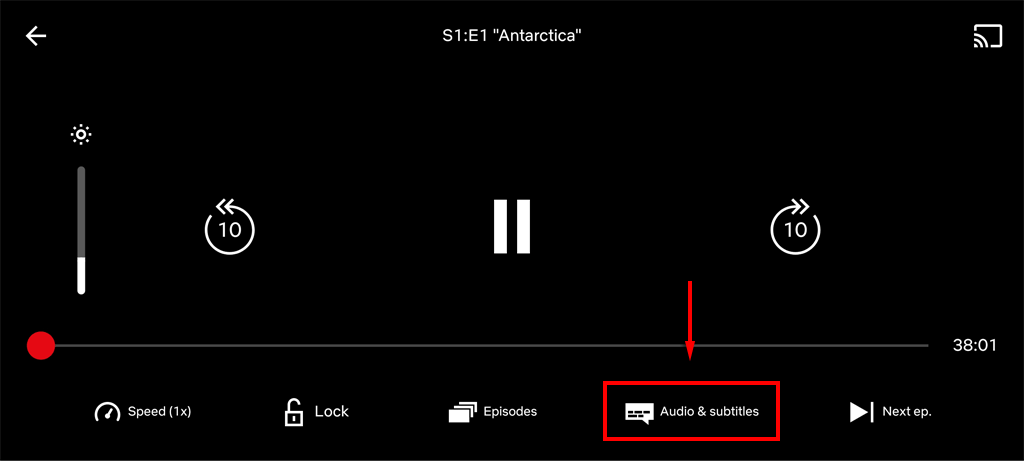
2. On a Smart TV, streaming device, set-top box, Blu-ray player, or gaming console, press the up or down arrow on your remote. For Apple TVs, swipe down. The icon will appear as a dialog box. Read More...