HSS vs ND Filters; The Best Way to Sync Flash
-
 Loading...
 - Alice Ankomah
- 06 Feb 2023
- 75 Views
- 0 Like
- 0 Comment
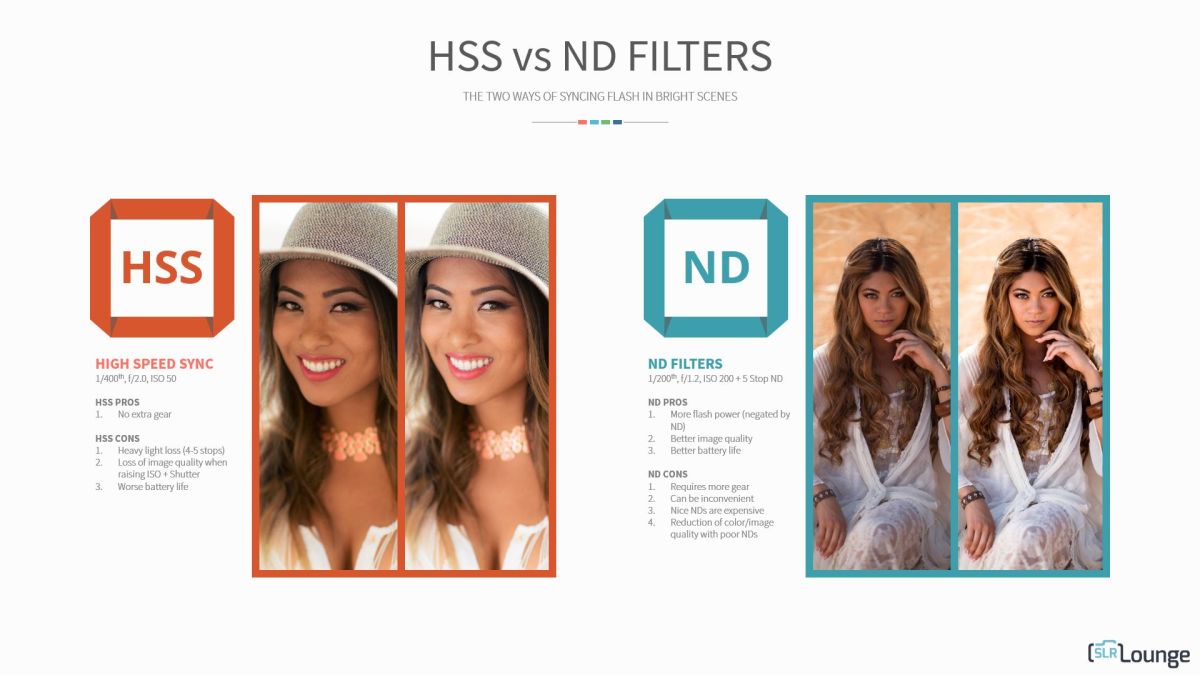
HSS vs ND filters: Which is the best method for synchronizing flash? Both high-speed sync and Neutral density filters have advantages and disadvantages, and we’ll tell you all about them. Depending on the type of photography you do, one technique might be perfect for you.
First, what is flash synchronization? Basically, when you fire your camera’s shutter, the front curtain opens to begin the exposure, and the rear curtain follows it to end the exposure. The amount of time between those two things happening is your shutter speed. What happens if you want to add flash to your exposure? Well, for basic flashes, the flash can only “pop” after the shutter’s front curtain is completely open, but before the trailing curtain has begun to close. In other words, the sensor (or film) is completely unobscured.

If your shutter speed is fairly slow, then it’s easy for any flash to fire during the time your shutter is fully open. At very fast shutter speeds, though, what is actually happening is this: right after the front curtain begins to open, the rear curtain begins to close at the same time! Thus, at any given instant, only a portion of the sensor/film is being exposed. This makes it impossible for a flash to only fire once and be a part of the entire image.
Common Sync Limitation
In general, most cameras’ shutters have a shutter speed limit of around 1/200 sec before this high-speed mode begins. This is an important point when considering HSS vs ND filters. This may be slightly different for each camera, and is known as the camera’s flash sync speed.
Anything above that flash sync speed, and you run into flash synchronization problems. At a shutter speed of, say, 1/400, I will end up with a black bar in the frame where the flash was only able to fire during part of the whole exposure, and that black bar is actually the rear curtain blocking the flash!
Thankfully, some cameras will automatically limit you to 1/200 sec if they notice that a flash is attached, and if “High-Speed Sync” is not turned on. Read More…