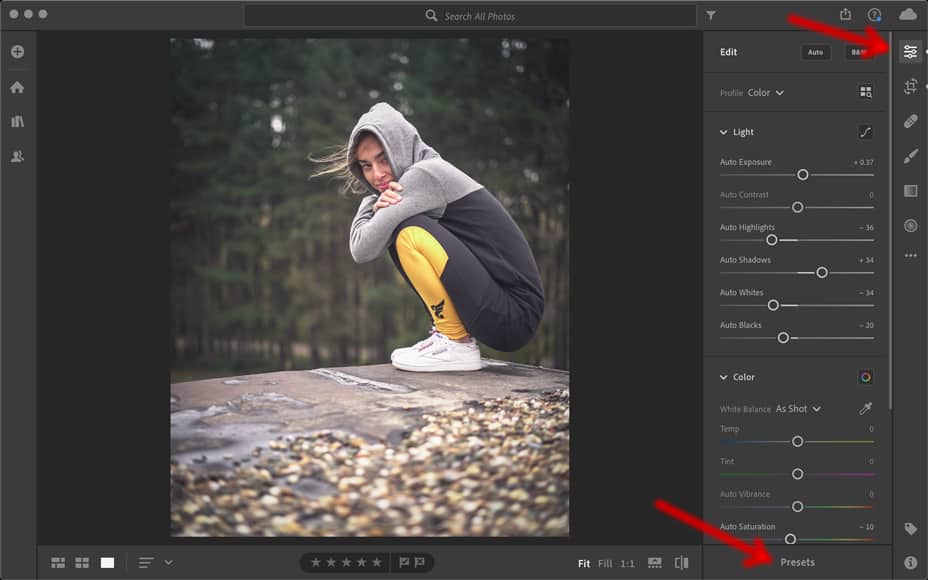
The Proper Way to Use Photo Presets
-
 Loading...
 - Morken Brandt
- 17 May 2023
- 59 Views
- 0 Like
- 0 Comment
In the age of digital photography, photo presets have become a popular tool for enhancing and transforming images with just a few clicks. These presets offer a wide range of creative options, allowing photographers of all skill levels to achieve stunning results. However, using photo presets effectively requires some understanding of the proper techniques and best practices. In this article, we will explore the proper way to use photo presets, offering valuable tips and insights to help you make the most out of this powerful tool.
Photo presets can significantly streamline your editing process and give your images a consistent and professional look. To maximize their potential, here are some essential guidelines to follow:
1. Understand the Purpose of Photo Presets
Photo presets are pre-defined settings that can be applied to your images to achieve specific looks or styles. They are designed to save you time and effort by automating certain adjustments. Before using a preset, take a moment to understand its intended purpose and how it can enhance your photos. This understanding will help you choose the right preset for each image.
2. Choose High-Quality Presets
With the growing popularity of photo presets, the market is flooded with options. However, not all presets are created equal. It is crucial to choose high-quality presets from reputable sources. Well-crafted presets will offer better results and ensure that your images look their best. Look for presets that have been tested and reviewed by professionals in the field.
3. Consider the Lighting and Composition
While photo presets can work wonders, they are not magical solutions for every image. Keep in mind that lighting and composition play a crucial role in photography. Before applying a preset, make sure the image's lighting and composition are well-suited to the preset's intended style. Adjustments may still be needed to achieve the desired effect.
4. Use Presets as a Starting Point
Photo presets are not meant to be a one-click solution for all your editing needs. Instead, think of them as a starting point. Apply the preset that best matches your vision, and then make further adjustments as necessary. This way, you can customize the look to suit your individual preferences and the specific characteristics of each image.
5. Experiment and Explore
One of the great advantages of photo presets is the ability to experiment with different looks quickly. Don't be afraid to try out various presets on the same image or different presets on different images. This exploration process will help you discover new creative possibilities and find the perfect style for your photos.
6. Adjust Preset Strength
Most presets allow you to control their strength or opacity. This adjustment is essential to maintain a natural and balanced appearance in your images. A subtle application of the preset can often yield more pleasing results than applying it at full strength. Take the time to fine-tune the preset's intensity to achieve the desired effect.
7. Customize Presets for Consistency
To establish a consistent and cohesive look in your photography, consider customizing presets to suit your specific style. Most presets offer adjustable parameters like exposure, contrast, and saturation. By tweaking these settings, you can create your own variations of the preset, tailoring them to your unique artistic vision.
8. Organize and Categorize Presets
As you accumulate a collection of photo presets, it becomes crucial to keep them organized. Create folders or categories to sort your presets based on their style, source, or intended use. This organization will help you locate the right preset quickly and efficiently when editing your photos.
9. Make Local Adjustments if Necessary
While presets are excellent for applying global changes to your images, there may be instances where local adjustments are needed. If certain areas of your photo require specific tweaks, such as exposure or color corrections, use tools like brushes or gradients to make these adjustments selectively. This fine-tuning will ensure that every part of your image looks its best.
10. Practice and Develop Your Style
Like any other skill, mastering the art of using photo presets requires practice and experimentation. Spend time exploring different presets, tweaking settings, and analyzing the results. Over time, you will develop a keen eye for which presets work best with particular images and how to achieve the desired effects efficiently.
Frequently Asked Questions (FAQs)
Q1: Can photo presets work on any type of image?
Yes, photo presets can be applied to various types of images, including landscapes, portraits, architecture, and more. However, it is essential to choose presets that are well-suited to the image's subject and lighting conditions.
Q2: Are photo presets a replacement for manual editing?
While photo presets can automate certain editing processes, they are not a complete replacement for manual editing. Presets should be seen as tools to expedite your workflow and provide a starting point for further adjustments.
Q3: How can I find reputable sources for high-quality presets?
To find reputable sources for high-quality presets, consider exploring websites and marketplaces specifically dedicated to photography resources. Additionally, seek recommendations from other photographers or join online communities where professionals share their favorite presets.
Q4: Can I use photo presets in all editing software?
Photo presets are primarily designed for specific editing software like Adobe Lightroom, Adobe Photoshop, or Capture One. However, many presets are available in different file formats, allowing compatibility with various editing software. Always check the compatibility of the presets before making a purchase.



