We Review DxO PhotoLab and Why You Should Consider Swapping to It
-
 Loading...
 - Ait Anasayoub
- 21 Feb 2023
- 60 Views
- 0 Like
- 0 Comment
DxO PhotoLab 6.3 has just been released, and it's persuaded me to change my workflow. Here's why you should consider giving it a try.
Many different cameras and a wide range of software pass through my hands. Nevertheless, I am rarely persuaded to change my workflow. However, recently, I compared the raw results from different cameras through various software packages, and PhotoLab 6 blew my socks off.
DxO PhotoLab is primarily a raw developer, with browser and catalog functions. It's the image quality of the program's raw engine that is where its big advantage stands.
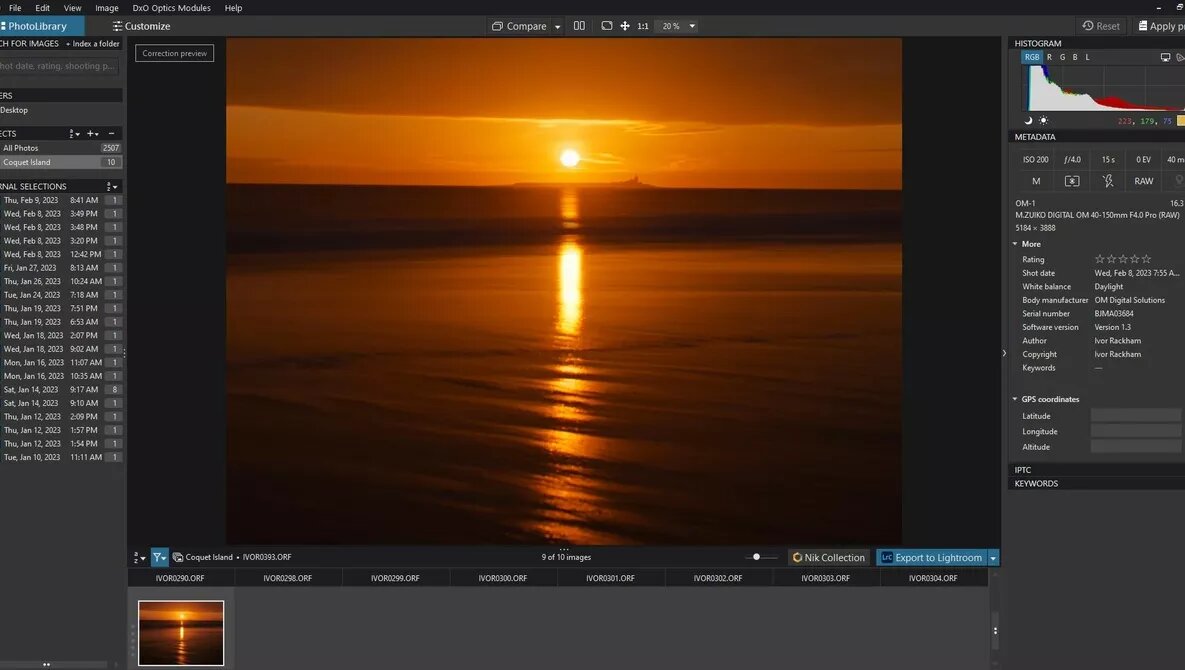
The PhotoLibrary
It took me a little while to get used to the PhotoLibrary. When I did, I could see that it was a powerful tool. In Lightroom, I have always used Collections, and PhotoLab 6 has a similar function called “Projects.” It is a quick and easy way of sorting and finding photos. For those who prefer to browse, there is a Folders browser too.
Bringing Your Photos into PhotoLab 6
The PhotoLibrary has no import function. Instead, one uses the browser screen to drag and drop the files from your memory card into the Folders browser. This moment is a good one to add photos to a Project. Then, one can rate the images, add keywords, set color labels, and so on. As with any catalog, this is worth doing as soon as possible, making it much easier to sort and find the photos later.
Handy hint: I found it helpful to create a Project called All Photos and add every imported photo to it. Thus, it was easy to scroll through all my images, synchronize metadata, and search for keywords in all my pictures.

Using the PhotoLibrary
The PhotoLibrary is quick; I found it jumped between images with no lag. Selecting multiple photos at once allows you to add star ratings, color tags, and keywords to them all at once. There are new keyboard shortcuts to be learned for these, and there are more color tags than you find in other apps, including orange and pink.
As a devoted Lightroom catalog user, you can export photos to PhotoLab as DNG raw files with the PhotoLab adjustments applied to that program. The export function also allows you to send the files to a different application, write them to your hard drive, or upload them to Flickr.
If you have the DxO NIK collection, the PhotoLibrary is, of course, integrated with that. The Nik software is worth the investment, as it can take your processing to the next level. Read More…



