What is EXIF Data in Digital Photos?
-
 Loading...
 - Imane Bouzid
- 04 Aug 2022
- 87 Views
- 0 Like
- 0 Comment
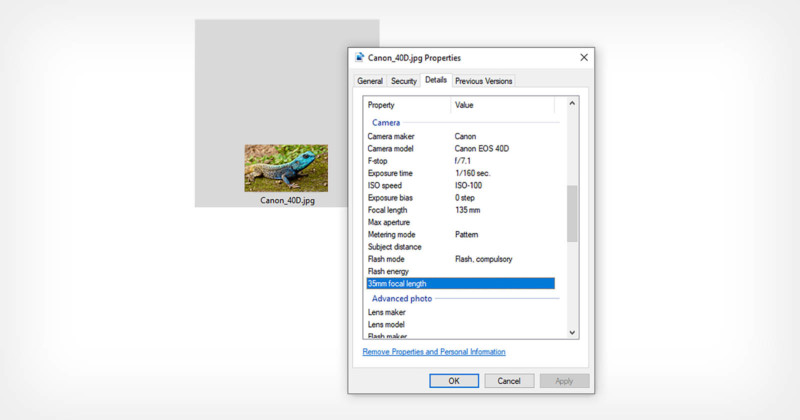
In the digital age, there’s a lot more to a photograph than the image itself. When most digital cameras capture an image, they record certain parameters and write them in the image’s file for later use. These parameters are called metadata and are stored as Exchangeable Image File data, or EXIF for short.
EXIF is useful, but can also have negative impacts in certain cases. This guide will teach you about EXIF, its advantages and disadvantages, and how to use it in photography.
Note: Although metadata is stored as EXIF, the two terms are often used interchangeably.
EXIF Parameters
It’s important to understand that EXIF is much more than just the shutter speed, aperture, and ISO of your image. While you might use those the most when looking at EXIF data, EXIF encompasses much more. Here is a list of common parameters that EXIF encompasses.
Shutter speed
Aperture
ISO
Camera model, manufacturer, and serial number
Lens model, manufacturer, and serial number
Focal length when the photo was taken
White balance
Metering settings
Flash settings (if one was used)
Image resolution
Color space
Date and time that the photo was taken
Post-processing adjustments
GPS coordinates of the photo’s location (if your camera has GPS and it is turned on)
How to View EXIF Data
There are many ways to access and view EXIF, from websites to built-in tools that come with your computer. This may come in handy when trying to view your own EXIF, and could also be useful if you are trying to find EXIF in an image that is not yours.
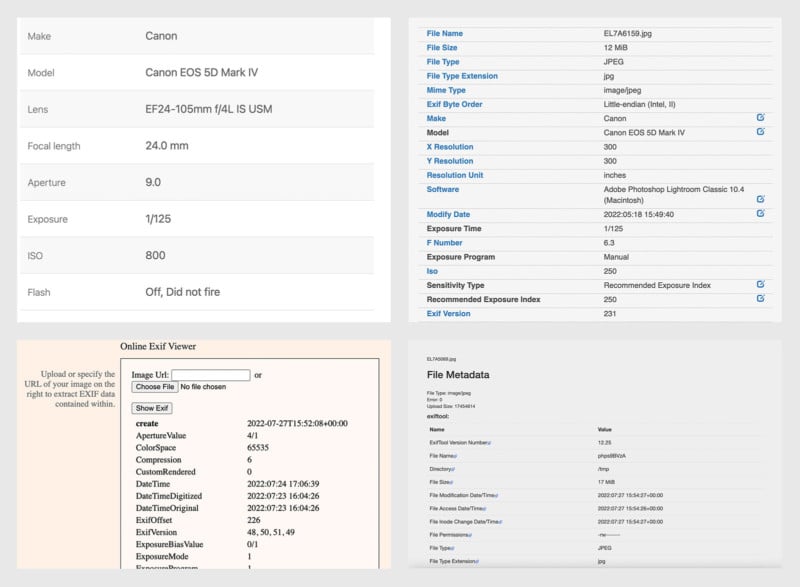
Using a Website to View EXIF Data
Perhaps one of the easiest ways to view EXIF data is to upload your image(s) to a website. This has its advantages in being easy to find and operate. It can also take much longer and require more effort because you will need to upload your image(s) with an internet connection. This method is difficult to use with a batch of images, so it’s best if you’re only looking for the EXIF of
a small number of images. Some websites may give you more data than built-in tools in your computer, such as adjustments in post-production.
One potential risk of using online EXIF viewers is that you are uploading your images to a website that could use your images for other purposes. Before using an online EXIF viewer, be sure to research potential risks and read reviews.
Here are a few websites that you may find useful in viewing EXIF data:
1. jimpl.com
2. metadata2go.com
3. exif-viewer.com
4. exif.tools
5. pixelpeeper.com
Adobe Lightroom’s Metadata Panel
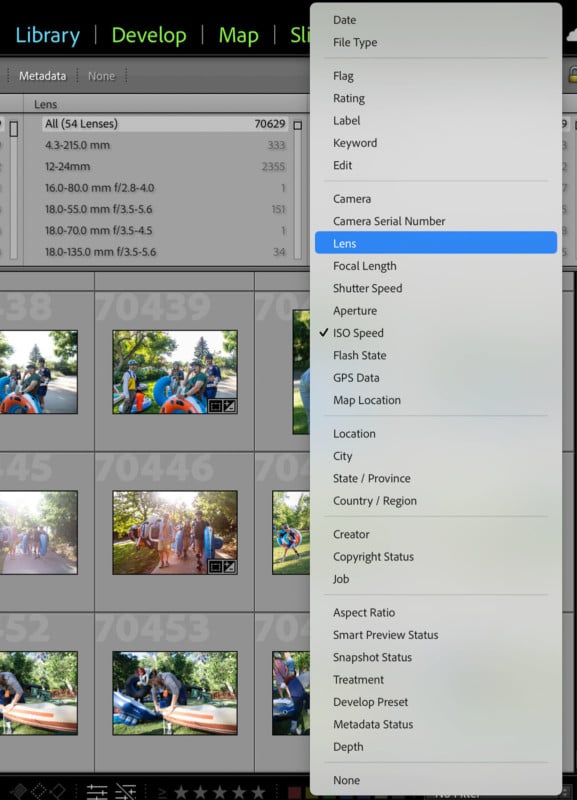
Perhaps one of the most organized and useful ways to view metadata is via Adobe Lightroom’s metadata tool. To access it, click the Library module > Library Filter: Metadata.
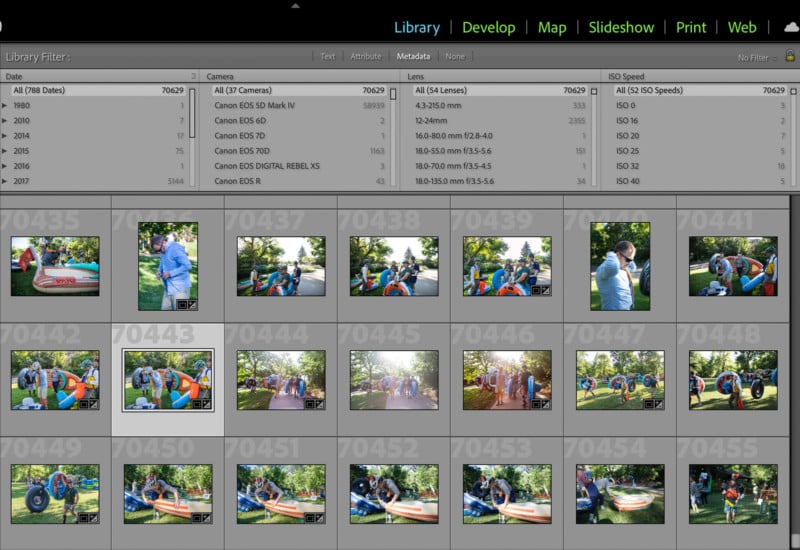
This will allow you to search your catalog by metadata, and you can add or remove parameters as you choose. This will give you a quick glance at different parameters and their images, and it will help you search your entire catalog if you’re looking for something specific regarding metadata.
Built-in EXIF Viewer on a Mac
To view an image’s metadata on Mac, simply open it in Preview, which is usually the default application to display images. From here, click Tools > Show Inspector (or Command + I) and click the “EXIF” tab at the top of the Inspector. Read More...