Home Upload Photo Upload Videos Write a Blog Analytics Messaging Streaming Create Adverts Creators Program
Bebuzee Afghanistan Bebuzee Albania Bebuzee Algeria Bebuzee Andorra Bebuzee Angola Bebuzee Antigua and Barbuda Bebuzee Argentina Bebuzee Armenia Bebuzee Australia Bebuzee Austria Bebuzee Azerbaijan Bebuzee Bahamas Bebuzee Bahrain Bebuzee Bangladesh Bebuzee Barbados Bebuzee Belarus Bebuzee Belgium Bebuzee Belize Bebuzee Benin Bebuzee Bhutan Bebuzee Bolivia Bebuzee Bosnia and Herzegovina Bebuzee Botswana Bebuzee Brazil Bebuzee Brunei Bebuzee Bulgaria Bebuzee Burkina Faso Bebuzee Burundi Bebuzee Cabo Verde Bebuzee Cambodia Bebuzee Cameroon Bebuzee Canada Bebuzee Central African Republic Bebuzee Chad Bebuzee Chile Bebuzee China Bebuzee Colombia Bebuzee Comoros Bebuzee Costa Rica Bebuzee Côte d'Ivoire Bebuzee Croatia Bebuzee Cuba Bebuzee Cyprus Bebuzee Czech Republic Bebuzee Democratic Republic of the Congo Bebuzee Denmark Bebuzee Djibouti Bebuzee Dominica Bebuzee Dominican Republic Bebuzee Ecuador Bebuzee Egypt Bebuzee El Salvador Bebuzee Equatorial Guinea Bebuzee Eritrea Bebuzee Estonia Bebuzee Eswatini Bebuzee Ethiopia Bebuzee Fiji Bebuzee Finland Bebuzee France Bebuzee Gabon Bebuzee Gambia Bebuzee Georgia Bebuzee Germany Bebuzee Ghana Bebuzee Greece Bebuzee Grenada Bebuzee Guatemala Bebuzee Guinea Bebuzee Guinea-Bissau Bebuzee Guyana Bebuzee Haiti Bebuzee Honduras Bebuzee Hong Kong Bebuzee Hungary Bebuzee Iceland Bebuzee India Bebuzee Indonesia Bebuzee Iran Bebuzee Iraq Bebuzee Ireland Bebuzee Israel Bebuzee Italy Bebuzee Jamaica Bebuzee Japan Bebuzee Jordan Bebuzee Kazakhstan Bebuzee Kenya Bebuzee Kiribati Bebuzee Kuwait Bebuzee Kyrgyzstan Bebuzee Laos Bebuzee Latvia Bebuzee Lebanon Bebuzee Lesotho Bebuzee Liberia Bebuzee Libya Bebuzee Liechtenstein Bebuzee Lithuania Bebuzee Luxembourg Bebuzee Madagascar Bebuzee Malawi Bebuzee Malaysia Bebuzee Maldives Bebuzee Mali Bebuzee Malta Bebuzee Marshall Islands Bebuzee Mauritania Bebuzee Mauritius Bebuzee Mexico Bebuzee Micronesia Bebuzee Moldova Bebuzee Monaco Bebuzee Mongolia Bebuzee Montenegro Bebuzee Morocco Bebuzee Mozambique Bebuzee Myanmar Bebuzee Namibia Bebuzee Nauru Bebuzee Nepal Bebuzee Netherlands Bebuzee New Zealand Bebuzee Nicaragua Bebuzee Niger Bebuzee Nigeria Bebuzee North Korea Bebuzee North Macedonia Bebuzee Norway Bebuzee Oman Bebuzee Pakistan Bebuzee Palau Bebuzee Panama Bebuzee Papua New Guinea Bebuzee Paraguay Bebuzee Peru Bebuzee Philippines Bebuzee Poland Bebuzee Portugal Bebuzee Qatar Bebuzee Republic of the Congo Bebuzee Romania Bebuzee Russia Bebuzee Rwanda Bebuzee Saint Kitts and Nevis Bebuzee Saint Lucia Bebuzee Saint Vincent and the Grenadines Bebuzee Samoa Bebuzee San Marino Bebuzee São Tomé and Príncipe Bebuzee Saudi Arabia Bebuzee Senegal Bebuzee Serbia Bebuzee Seychelles Bebuzee Sierra Leone Bebuzee Singapore Bebuzee Slovakia Bebuzee Slovenia Bebuzee Solomon Islands Bebuzee Somalia Bebuzee South Africa Bebuzee South Korea Bebuzee South Sudan Bebuzee Spain Bebuzee Sri Lanka Bebuzee Sudan Bebuzee Suriname Bebuzee Sweden Bebuzee Switzerland Bebuzee Syria Bebuzee Taiwan Bebuzee Tajikistan Bebuzee Tanzania Bebuzee Thailand Bebuzee Timor-Leste Bebuzee Togo Bebuzee Tonga Bebuzee Trinidad and Tobago Bebuzee Tunisia Bebuzee Turkey Bebuzee Turkmenistan Bebuzee Tuvalu Bebuzee Uganda Bebuzee Ukraine Bebuzee United Arab Emirates Bebuzee United Kingdom Bebuzee Uruguay Bebuzee Uzbekistan Bebuzee Vanuatu Bebuzee Venezuela Bebuzee Vietnam Bebuzee World Wide Bebuzee Yemen Bebuzee Zambia Bebuzee Zimbabwe
Blog Image

Windows 11's new taskbar overflow is perfect for people who keep all their apps open

Ideal for power users and laptop screens

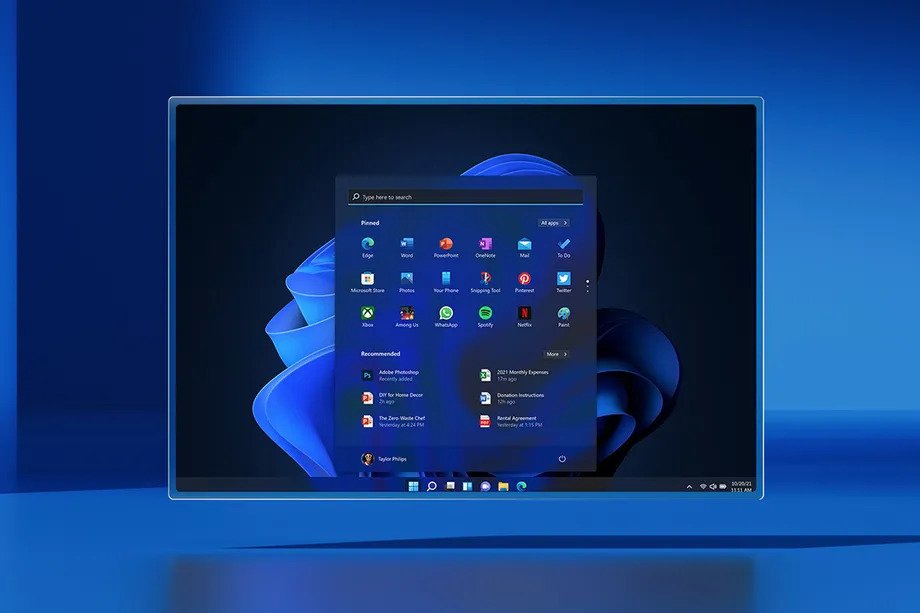
Microsoft is bringing a new taskbar overflow feature to Windows 11, designed to make it easier to find your open apps once you run out of taskbar space. It’s perfect for power users or people who love to keep all of their apps open all the time. The new taskbar overflow is a three-dot menu that appears once you’ve run out of taskbar space, and neatly hides all the apps that can’t fit on the taskbar all at the same time.

Currently, if you open too many apps in Windows 11 and Windows 10, then the taskbar creates an overflow area that only shows the most recent app that has been used or open. This means that if you’re an app connoisseur, it can get difficult to navigate between lots of programs on smaller laptop screens (especially if you don’t use alt+tab and other multitasking features).

The new overflow menu matches the Windows 11 design, and includes all the taskbar features you’d expect to see like pinning apps and jump lists. “After invoking overflow, the menu will quietly dismiss once you click outside of it or navigate to an application.

Microsoft’s new overflow changes come just days after the company revealed it’s testing a new UI for the Windows 11 taskbar. The software giant is experimenting with bringing back the familiar search bar from Windows 10, alongside notification badges for the Widgets section in Windows 11.

Windows 11 testers can try this new overflow feature in the latest Dev Channel build released this week. Microsoft is also testing improvements to the AirDrop-like “nearby sharing” feature in Windows 11. The built-in share window now supports UDP to find nearby devices, which means you’ll now be able to quickly find nearby PCs to quickly share files. If you share local files through the share interface, Microsoft is also adding OneDrive integration to make it quick and easy to upload and share files to the cloud. Read More...

Previous Post

Korea needs to be cautious about joining 'Chip 4' alliance: ICT minister

Next Post

Do You Really Understand Test Driven Development?

Comments