How to make a stop-motion movie with a smartphone
-
 Loading...
 - Adeline Walker
- 27 May 2022
- 291 Views
- 0 Like
- 0 Comment
Stop-motion is an animation technique with a storied history that may stretch back as far as the 19th century and has made its mark in more recent decades with franchises like Wallace and Gromit. If you’ve ever felt inspired to make your own film in this style, all you need is your phone.
As with the other tricks your phone can do—from map navigation to fitness tracking—you’ll first need to find the right app. Then you can think about building a cast of characters, setting the stage, and working on the story you’d like to tell.
Choose your app
The most basic form of stop-motion animation you can create with your phone involves taking one photograph after another, then stitching them together with a movie-making app like iMovie (free for iOS) or Splice (free for iOS and Android, with a $3 premium version that gives you more samples and other features).
Beyond that, if your plans aren’t too ambitious, numerous apps will pack individual images together and produce a GIF for you—you can try ImgPlay GIF Maker (free for iOS or $3 to remove the watermark and ads) or GIF Maker (free for Android or $3 for the premium version with all available features).
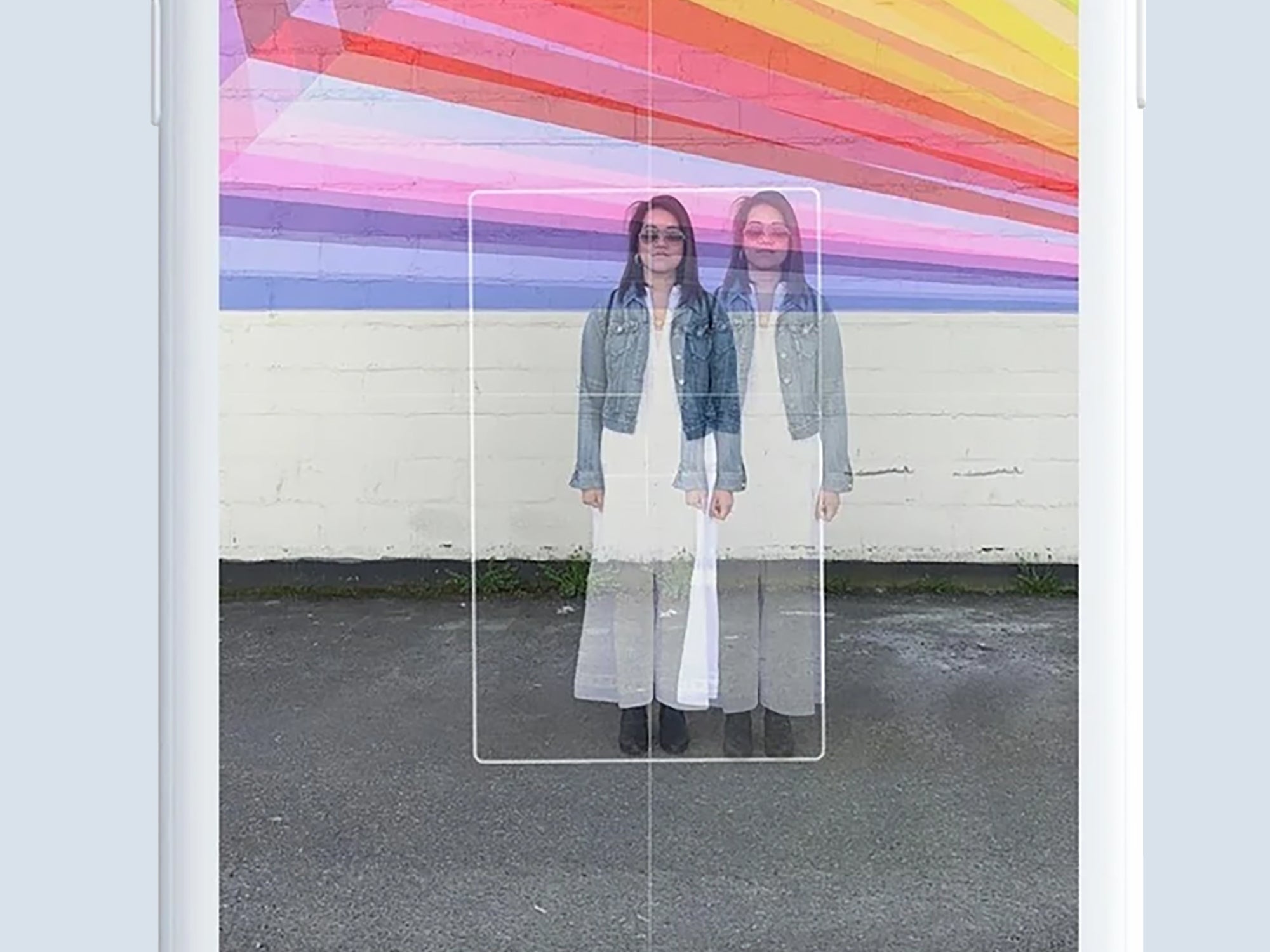
Opt for a more dedicated tool, and you will be able to take advantage of features such as image overlays that will give you an idea of what the previous frame looked like while you’re setting up a new one (technically known as onion skinning). The best apps—including the one we’ve featured below, Stop Motion Studio, give you composition guides for getting everything positioned, as well as options to loop groups of frames.
You may also want to check out Stop Motion Maker for Android and iOS, which has an easy learning curve and extras like video filters. It’s free to use but you’ll need to pay $10 a month to remove the watermarks and ads and get its full set of features. There’s also plenty to explore in I Can Animate ($3 for Android and iOS), including easy frame manipulation and adjustments.
Using Stop Motion Studio
Because we cannot cover the ins and outs of every stop-motion editing app out there, we chose one of the best of the bunch in Stop Motion Studio after spending some time with several. Our advice will be specific to this app, but general enough that you should be able to extrapolate it into whatever program you choose.
Stop Motion Studio is available for Android and iOS, so you can use it on your phone, but it also has apps for Windows and macOS if you want to switch to a computer for editing. All your projects will seamlessly sync between your devices.
You use the software for free, but you can spend $5 to upgrade and access additional features. The full details are inside the app, but the extras include sound and video effects, the ability to replace backgrounds (a green screen effect), and support for 4K resolution output.
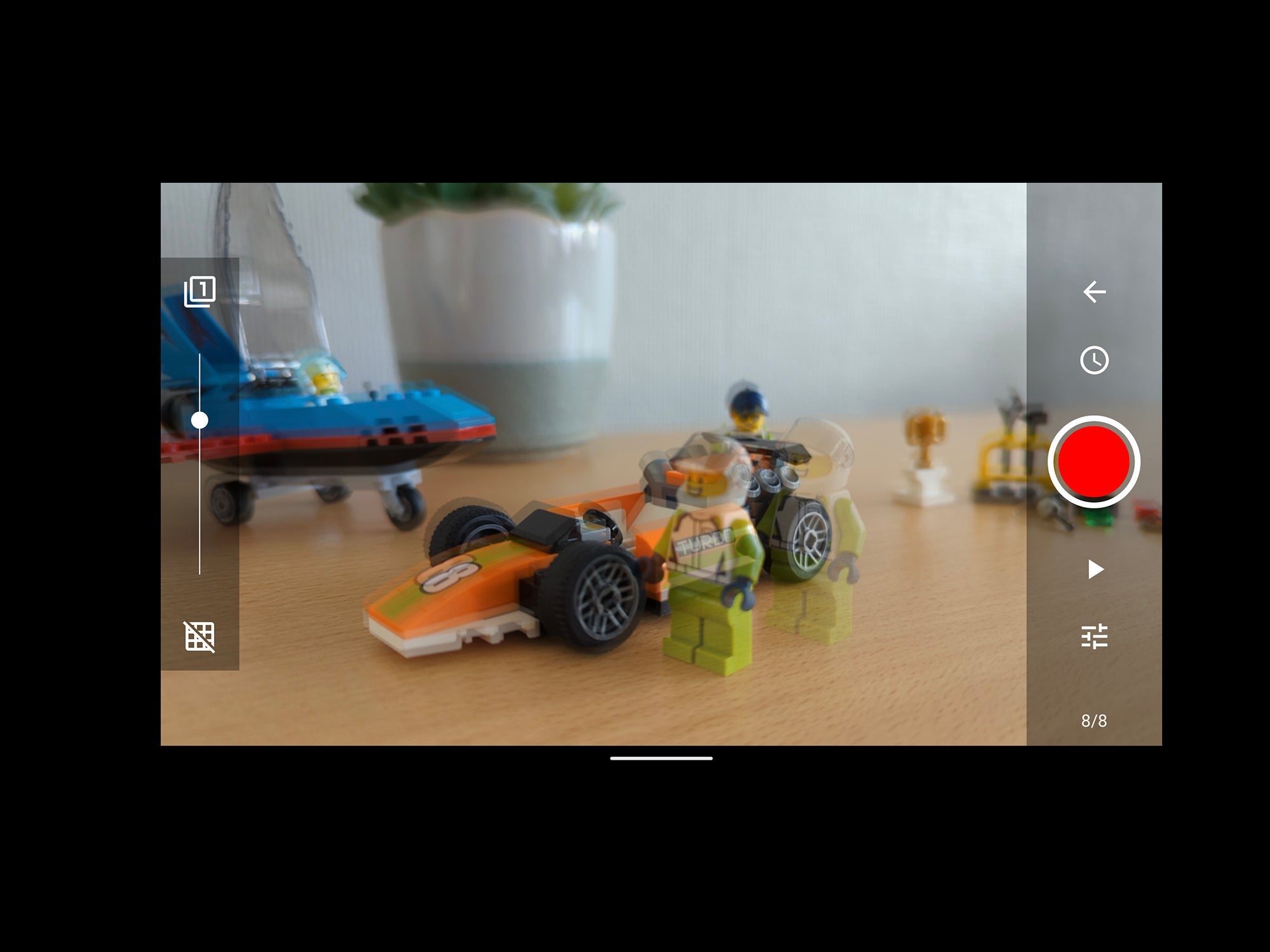
To get started with Stop Motion Studio, tap the New Movie button that appears on the opening screen (you can also check out a sample project called Big Fish). Once you’ve created a new project, you’re ready to frame your first shot: Get it in view of your phone’s camera, then click the camera icon in the top right corner.
This is where the main shooting happens: Use the red button (on the right) to capture a frame. Also on the right are buttons for setting a timer (the clock icon), seeing what you’ve captured so far (the play icon), and adjusting settings such as zoom and white balance (the sliders icon).
On the left side of the screen, drag the slider up or down to bring the previous frame gradually into view—this can really help you position each frame. It’s important to make sure that you keep your camera steady and fixed in position, otherwise framing of the final video will move around a lot. Read More...