Unlocking the Power of Macro Photography with Your Smartphone
-
 Loading...
 - Mirabella Borgia
- 14 Aug 2024
- 40 Views
- 0 Like
- 0 Comment
Macro photography is a fascinating world that reveals the intricate details of everyday objects, and with the advancements in smartphone technology, you can now capture stunning macro shots without the need for a dedicated camera. In this article, we'll explore the world of macro photography with smartphones, and provide you with tips and tricks to help you get started.
What is Macro Photography?
Macro photography is a type of photography that involves capturing extreme close-up images of small objects, revealing details that are often invisible to the naked eye. Macro photography can be used to capture a wide range of subjects, from insects and flowers to jewelry and food.
Smartphone Macro Photography: The Basics
To get started with macro photography using your smartphone, you'll need a few basic tools:
i. A smartphone with a good camera: Look for a smartphone with a high-quality camera, preferably with a high megapixel count and optical zoom.
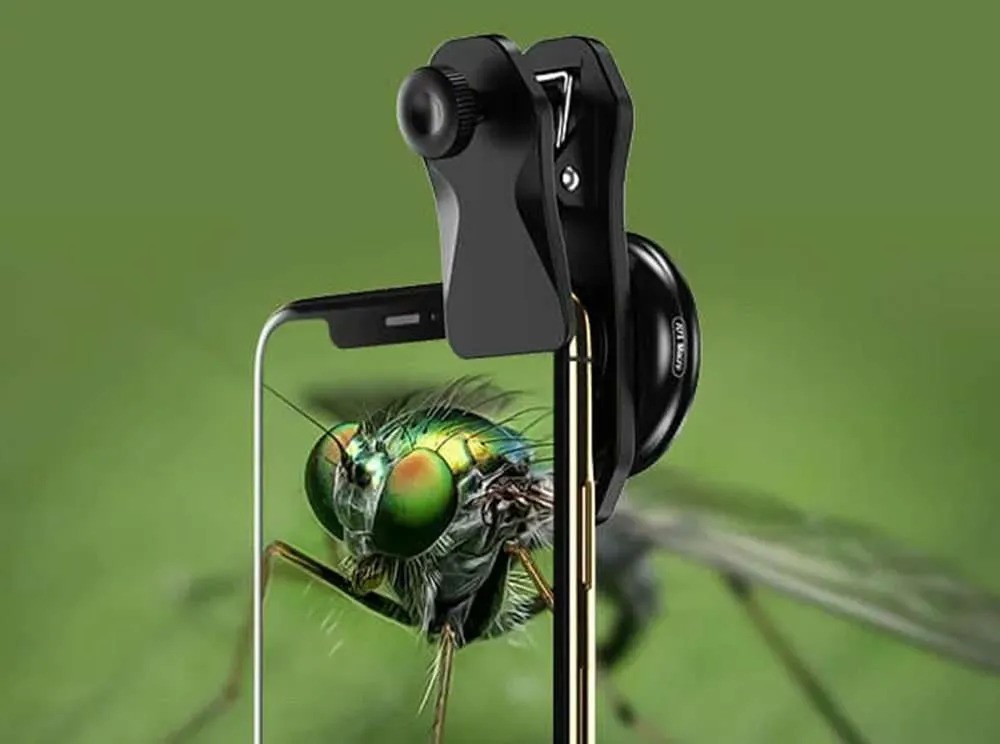
ii. A macro lens: You can purchase a macro lens attachment for your smartphone, which will allow you to get up close and personal with your subject.
iii. Good lighting: Natural light is always the best, but if you're shooting indoors, invest in a good lighting setup.
iv. A tripod: A tripod will help you stabilize your phone, allowing you to take sharper images.
Tips and Tricks for Smartphone Macro Photography
i. Get up close and personal: The key to macro photography is to get as close as possible to your subject. Experiment with different angles and compositions to find the most interesting shot.
ii. Use the right lighting: Natural light is always the best, but if you're shooting indoors, use a softbox or a ring light to create a flattering, diffused light.
iii. Experiment with focus: Tap on the screen to focus on a specific area of the image, and experiment with different focus modes to find the one that works best for your subject.
iv. Pay attention to composition: Don't forget about the rules of composition, even when shooting macro. Look for interesting shapes, textures, and patterns to add depth to your image.
iv. Edit your images: Macro photography often requires a bit of editing to bring out the details and colors of your subject. Use a photo editing app to adjust the brightness, contrast, and saturation of your image.
Smartphone Macro Photography Apps
There are several apps available that can help you take your macro photography to the next level:
- ProCam: A professional-grade camera app that offers advanced features like manual focus and exposure control.
- Camera+: A feature-rich camera app that offers advanced editing tools and filters.
- Adobe Lightroom: A powerful photo editing app that offers advanced tools for adjusting brightness, contrast, and color.
Conclusion
Macro photography with a smartphone is a fun and creative way to explore the world around you. With the right tools and techniques, you can capture stunning images that reveal the intricate details of everyday objects. Remember to experiment with different angles, lighting setups, and editing techniques to find the look that works best for you.