WhatsApp Dark Theme coming to reduce eye strain and glare
-
 Loading...
 - Brian Lyus
- 16 Oct 2024
- 60 Views
- 0 Like
- 0 Comment
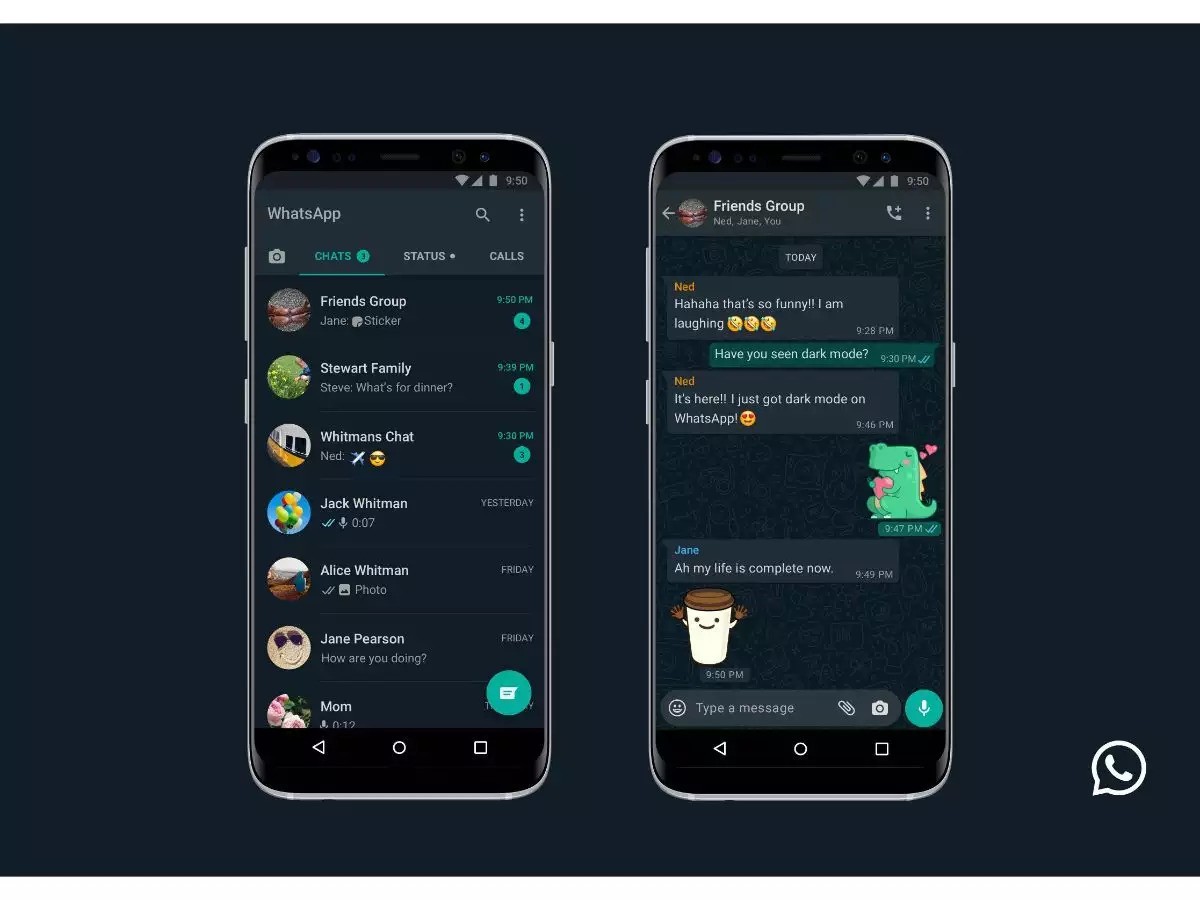
WhatsApp's introduction of a Dark Theme is a feature designed to enhance user experience by reducing eye strain and glare, especially in low-light environments. Here are some key points about the Dark Theme and its benefits:
Benefits of Dark Theme
i. Reduced Eye Strain: Dark themes can be easier on the eyes, particularly in dimly lit settings. The lower brightness levels can help reduce fatigue during prolonged use.
ii. Improved Battery Life: On OLED and AMOLED screens, dark themes can save battery life because these displays consume less power when displaying black or dark colors. This can be particularly beneficial for users who rely on their devices throughout the day.
iii. Enhanced Readability: For some users, dark text on a light background can cause glare and discomfort. A dark theme can provide better contrast and readability, making it easier to read messages and navigate the app.
iv. Aesthetic Preference: Many users simply prefer the look of a dark theme. It can give apps a modern and sleek appearance, which some find visually appealing.
How to Enable Dark Theme in WhatsApp
To enable the Dark Theme in WhatsApp, users can follow these steps (the exact steps may vary slightly depending on the device and operating system):
For Android:
- Open WhatsApp and go to Settings.
- Tap on Chats.
- Select Theme and choose Dark.
For iOS:
- Open WhatsApp and go to Settings.
- Tap on Chats.
- Select Theme and choose Dark.
System-Wide Setting: On both Android and iOS, users can also enable a system-wide dark mode, which will automatically apply to WhatsApp and other compatible apps.
The introduction of a Dark Theme in WhatsApp is a thoughtful feature aimed at enhancing user comfort and experience. By reducing eye strain and glare, it caters to the needs of users who spend significant time on their devices, particularly in low-light conditions. As dark mode becomes increasingly popular across various applications, WhatsApp's implementation aligns with broader trends in user interface design focused on usability and comfort.