Edit RAW Files From Anywhere and Clean Up Duplicates With Ease Using Mylio Photos
-
 Loading...
 - Ali Zambrano
- 28 Jul 2022
- 101 Views
- 0 Like
- 0 Comment
If you’re anything like me and have hundreds of thousands of files taking up terabytes of space on multiple RAID arrays and cloud services, finding specific photographs or figuring out where I might have duplicates can be an absolute headache.
While there is no shortage of RAW processing engines out there for photographers to choose from, finding the right system to sort, store, catalog, organize and backup all of the files stored on multiple devices can be an absolute nightmare. Thankfully, Mylio has made some impressive improvements catering specifically to this niche of photographers’ needs.
Revealed in the application’s recent updates, the company is taking a transformative new solution to backup and organize photos and videos of creatives by creating a private image library that securely connects all your devices into a personal network that offers several advantages over depending solely on cloud-based photo apps.
With this latest update, Mylio Photos can connect to your computer (Apple or Windows), phone (iPhone or Android), tablet, online sources (Flickr, Facebook, Google Photos), external hard drives, and even NAS RAID arrays, to create a centralized photo library that users can connect their computers and mobile devices too with no “cloud” required.
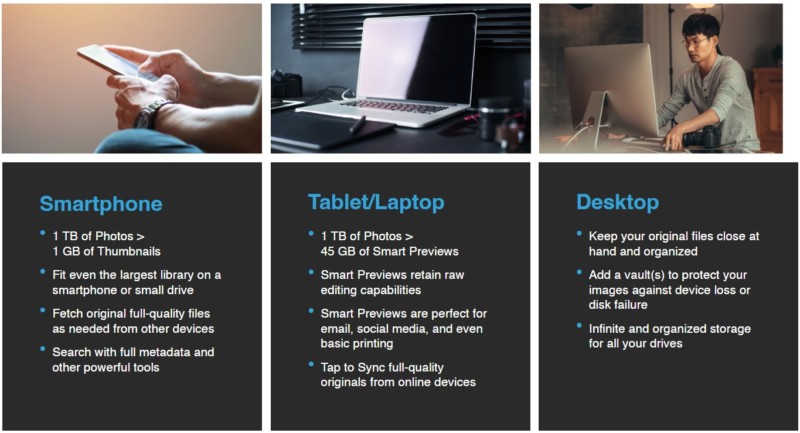
Since the system creates a “linked” library, users never have to choose what files they bring with them on their mobile devices and laptops when on the road. Creatives can easily access any images or videos they have added in Mylio using a personal network that securely connects their electronic devices. The part that is important to reiterate is that Mylio isn’t offering or leveraging any cloud storage services at all, as the platform is about organizing and editing files while providing the option to connect to cloud storage platforms. With these “linked” sources, all of your images are cataloged in a single library that is accessible across any device with the Mylio Photos app.
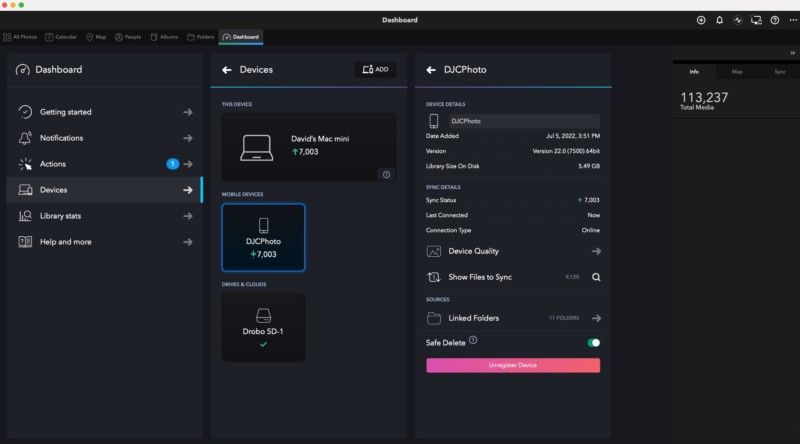
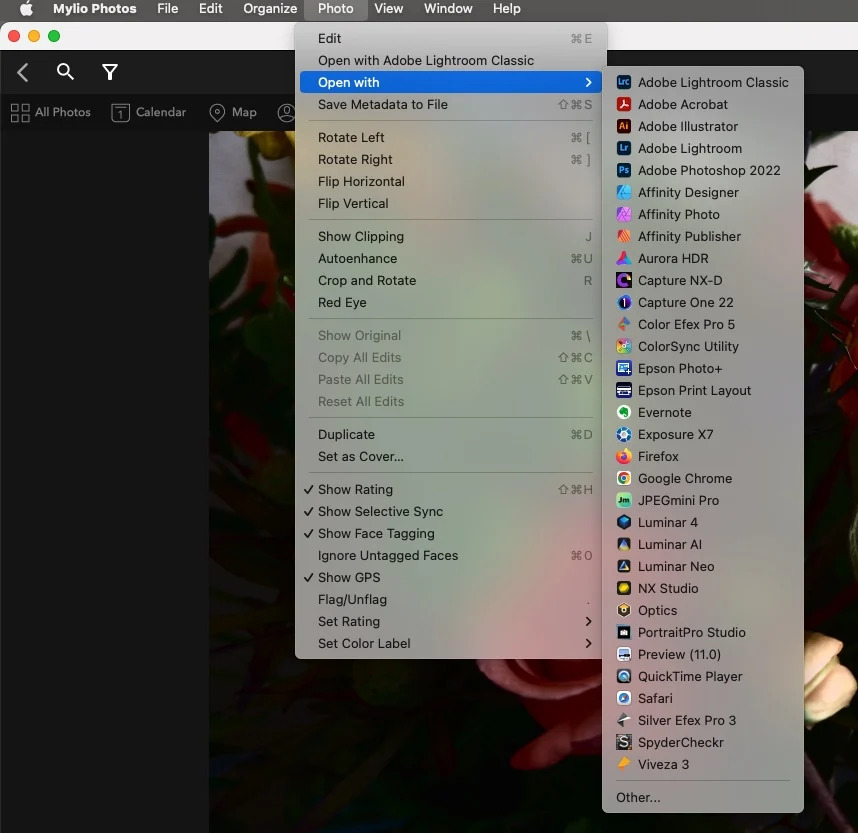
The Mylio Photos app for desktop and mobile makes it easy to fetch original or Smart Preview files as needed. It offers a standard develop module that’s convenient and non-destructive for on-the-go editing. But a real bonus to Mylio Photos is seamless integration to edit your images in a plethora of external applications. When you’ve selected an image you want to work on, simply select the “Open With” section under the “PHOTO” Menu to choose from your installed processing applications. You can also use the Share menu on your mobile devices to connect to almost any mobile app that’s designed for photo editing, content creation, or social media.
Mylio Photos doesn’t want to replace your processing tool of choice. Yes, users can do some edits within the application, but the application’s true strength lies in its ability to work across multiple platforms (Windows, MacOS, Android, and iOs) and helps keep your image library organized. Mylio Photos allows users to search, sort, share, edit, and export, but what I found most useful was the ability to easily find and remove duplicate files.
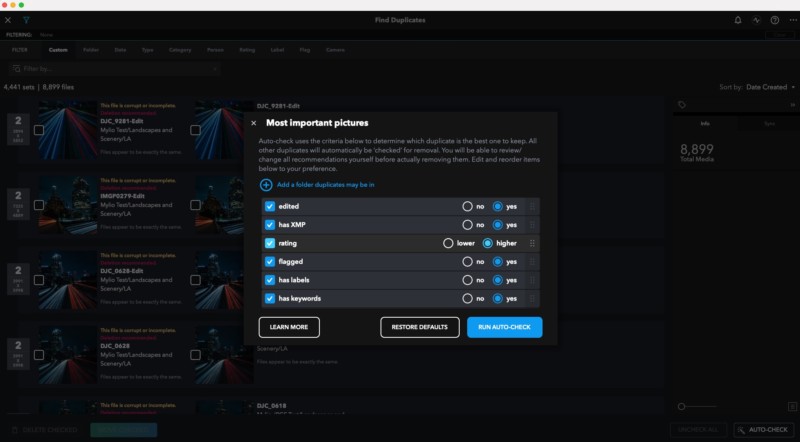
After more than a decade of professional work, I have amassed well over 30 terabytes worth of videos and images stored across multiple devices and hard drives on my home network. Given the amount of time and number of hard drives, I was positive there were duplicate files buried in subfolders of folders, yet I could never easily find them to clean up. Read More...